
RemNote vs Anki: A Feature-by-Feature Comparison

For years, if you had to study with digital flashcards, the answer was Anki.
But Anki asks a lot of you before it gives anything back. One of the biggest complaints from students is that it is too manual and too fiddly to set up.
We now have Anki alternatives that offer the same flashcard capabilities in addition to other features in a more modern and user-friendly setup.
We are talking about RemNote. It offers the same spaced repetition you get in Anki, and it adds note-taking on top, along with some other features.
In this article, we'll compare RemNote and Anki, feature by feature, so you can decide which one is right for you.
What is RemNote?
RemNote is an all-in-one note-taking and flashcard app that was founded in 2020.
The app allows you to take notes within it and then create flashcards from those same notes as you write. You can also upload PDFs, presentations, text files, images, webpages, and YouTube videos, and RemNote will generate flashcards from them. Or you can simply ask the AI to create flashcards on any topic.
RemNote then uses spaced repetition algorithms, namely the older Anki SM-2 and the modern FSRS (Free Spaced Repetition Scheduler), to schedule the cards for you for maximum retention.
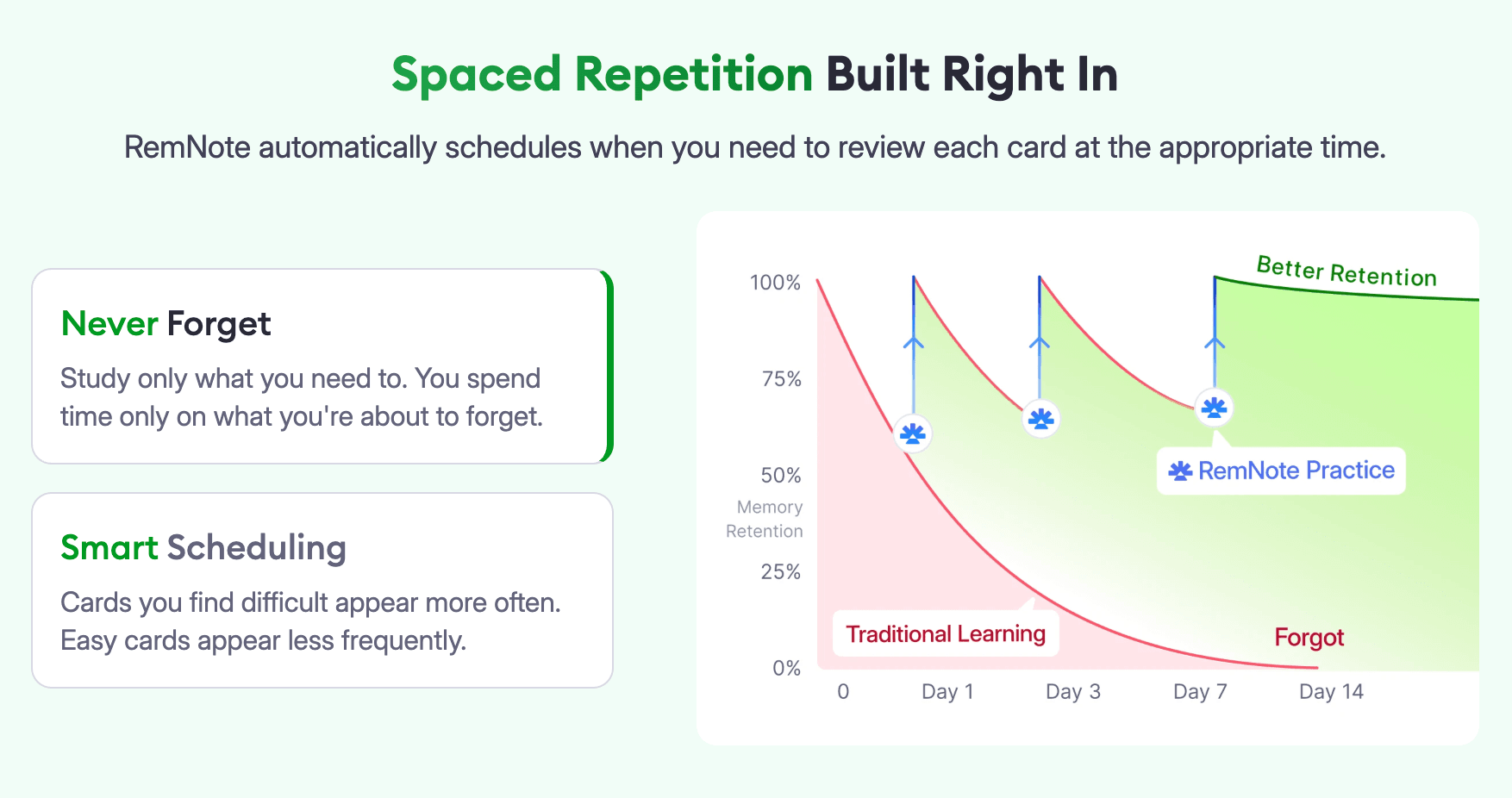
A unique thing about RemNote is that your flashcards and the notes they came from are linked together. So while reviewing flashcards, if you struggle to get your head around a card, RemNote can take you to its original context with the click of a button.
Apart from notes and flashcards, RemNote also offers a built-in PDF annotator, a lecture recorder, an exam scheduler, and a handful of AI features that can summarize your notes and generate study material for you.
Another big plus is that RemNote works offline too. The offline mode is available on all platforms that RemNote works on.
What is Anki?
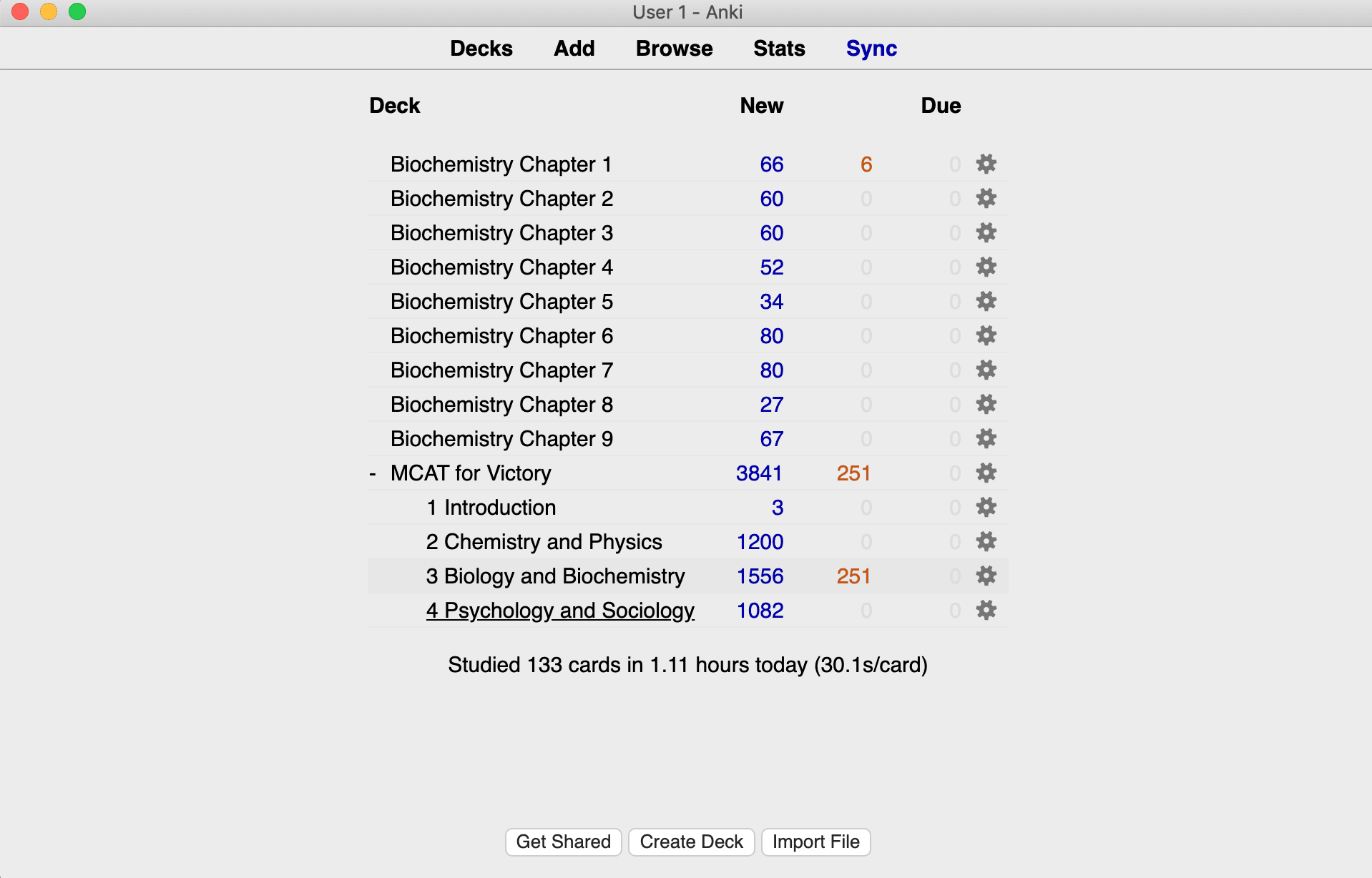
Anki is a free and open-source flashcard app that was created by Damien Elmes and first released back in 2006. Its name comes from the Japanese word for “memorization.” Anki has been the gold standard for creating and studying with digital flashcards for a long time, particularly for medical students and language learners.
And there’s a good reason for that popularity. It brought serious spaced repetition to a mass audience and allowed rich media inside cards when no other tool did.
The process of creating flashcards with Anki is entirely manual. You have to type in every single detail. It does not have native support for creating cards from files or using AI.
But since Anki is open-source, users have created loads of add-ons which allow Anki to achieve tasks it doesn’t natively support. The library is massive, and you’ll find multiple add-ons made for tasks such as generating flashcards from documents or AI. But keep in mind that the Anki add-ons only work on Anki Desktop.
Similar to RemNote, Anki also uses the SM-2 and the FSRS algorithms for scheduling flashcards.
Anki is free on Windows, Mac, Linux, and Android. Only the iOS app, called AnkiMobile, costs a one-time fee of $24.99.
RemNote vs Anki: Feature-by-feature comparison
Now let's put Anki and RemNote side by side and compare their key features.
| Feature | RemNote | Anki |
| Flashcard support | 6 card types, 3 creation methods (notes, AI, PDF annotation) | 6 card types, manual creation, no automated method |
| Spaced repetition algorithm | SM-2 and FSRS 6 | SM-2 and FSRS 6 |
| Note-taking feature | Built-in | None |
| Community library | Decks, study guides, quizzes, and school courses | Decks only but massive library |
| Ease of use | Modern and user-friendly interface | Steep learning curve due to dated interface and complex procedures |
| Supported platforms | Windows, Mac, Linux, Android, iOS, Chrome extension | Windows, Mac, Linux, Android, iOS; limited access on browser |
| Pricing | Free plan, Pro $10/mo, Pro with AI $20/mo | Free on all platforms, except a one-time $24.99 fee for iOS |
Both tools are built around flashcards, so let’s start with their flashcard support.
Flashcard support
Both RemNote and Anki let you create and review flashcards, but the way you create them is quite different in both tools.
Anki
In Anki, the process is entirely manual. You have two fields to populate for each side of a card. You also have several built-in flashcard types to choose from, including the following:
- Basic: Features a "Front" field and a "Back" field
- Basic (and reversed card): Creates two distinct cards from the same input data for both front-to-back and back-to-front recall.
- Basic (optional reversed card): Generates a reverse card only if you fill out an optional third field.
- Basic (type in the answer): Prompts you to manually type your response.
- Cloze: Hides specific words or phrases inside a sentence.
- Image Occlusion: Masks parts of an image or diagram.
You can customize your card layouts almost endlessly. For example, you can customize the font, images, fields, text direction (for languages such as Arabic), and more. You can add rich media inside cards such as images, audio, video, and LaTeX (for equations).
If you want to generate cards with AI, that's only possible through third-party add-ons. Anki doesn't do it natively.
RemNote
RemNote gives you multiple ways to create flashcards in addition to the manual method.
Even the manual method doesn’t feel like work because you don’t have to open a separate editor. You simply use special characters called "flashcard triggers" while you’re typing out your notes.
For example, a basic question and answer card requires typing >> or == in between the lines that you want to turn into flashcards. A cloze card is made with {{ and a multiple choice card requires adding an A) after creating a basic card.
You can see this video to learn how to create all 6 types of flashcards in RemNote.
The 6 Main Flashcard Types In RemNote - Spaced Repetition
Below are the flashcard types you can create in RemNote:
- Question and answer cards
- Cloze (fill-in-the-blank) cards
- Multiple choice cards
- Image Occlusion cards
- Multiline cards
- Concept cards
For a detailed guide on how to create each type, head to our help article on creating flashcards.
RemNote also lets you add code blocks to your cards, in addition to the standard rich media, such as images, videos, audio, LaTeX, etc.
If you don’t want to go through the manual process, RemNote also supports flashcard generation with AI. The AI can generate flashcards from uploaded PDFs, documents, presentations, text files, images, notes from other apps, and even URLs of webpages or YouTube videos.
Then there’s the third way of creating flashcards that involves highlighting text inside a PDF and accepting flashcards suggested by RemNote. You can accept, edit, or discard those suggestions before they go into your deck.
Spaced repetition algorithm
RemNote and Anki use the same two spaced repetition algorithms.
Anki
One of those is the SM-2 algorithm, which was developed by Piotr Wozniak back in the 1980s. SM-2 tracks a single number per card, called an ease factor, and adjusts it every time you review the card. However, SM-2 has some weaknesses. For instance, if you fail cards a few times, they can spiral into being shown too often.
Then in late 2022, the FSRS (Free Spaced Repetition Scheduler) launched as an add-on and custom scheduler for Anki (now natively integrated in Anki). The FSRS tracks three numbers per card instead of one. Those three numbers are called difficulty, stability, and retrievability. The algorithm uses machine learning on trained data to schedule your cards substantially more accurately so that the same level of retention is achieved within fewer reviews.
RemNote
RemNote supports both of these algorithms too.
Its default scheduler is the same Anki SM-2 but with a few small tweaks made for better long-term learning. You also have the option to switch to FSRS. RemNote supports the latest version, FSRS 6.
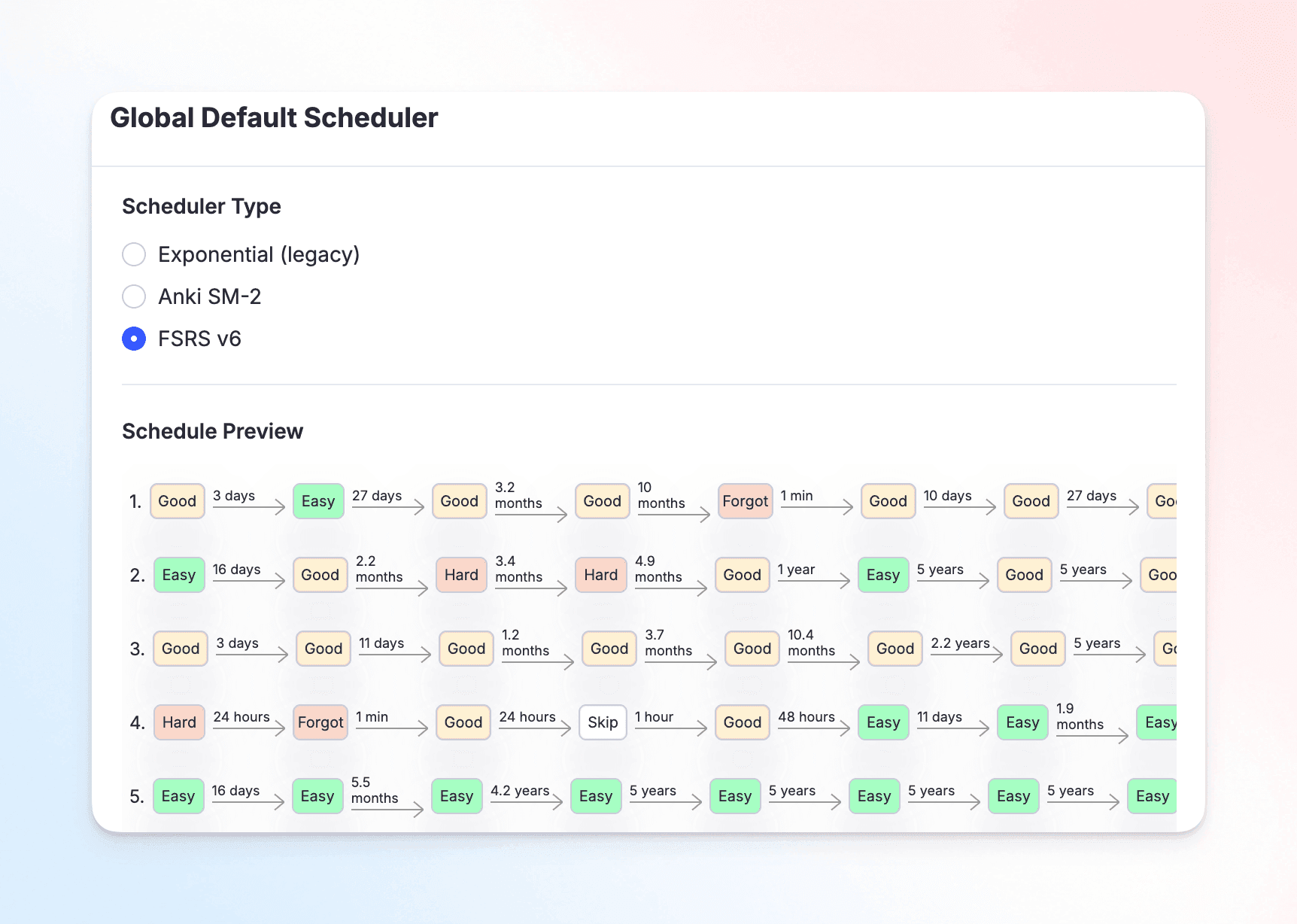
Now let’s talk about how you review a card in Anki and RemNote.
Anki gives you the following options (called Answer Buttons) to rate how well you remembered a card:
- Again
- Hard
- Good
- Easy
In RemNote, the rating options are:
- Forgot
- Partially recalled
- Recalled with effort
- Easily recalled
- Skip (for when you accidentally flip over a card)
Based on your rating on a card, the algorithm decides when to show you that card again.
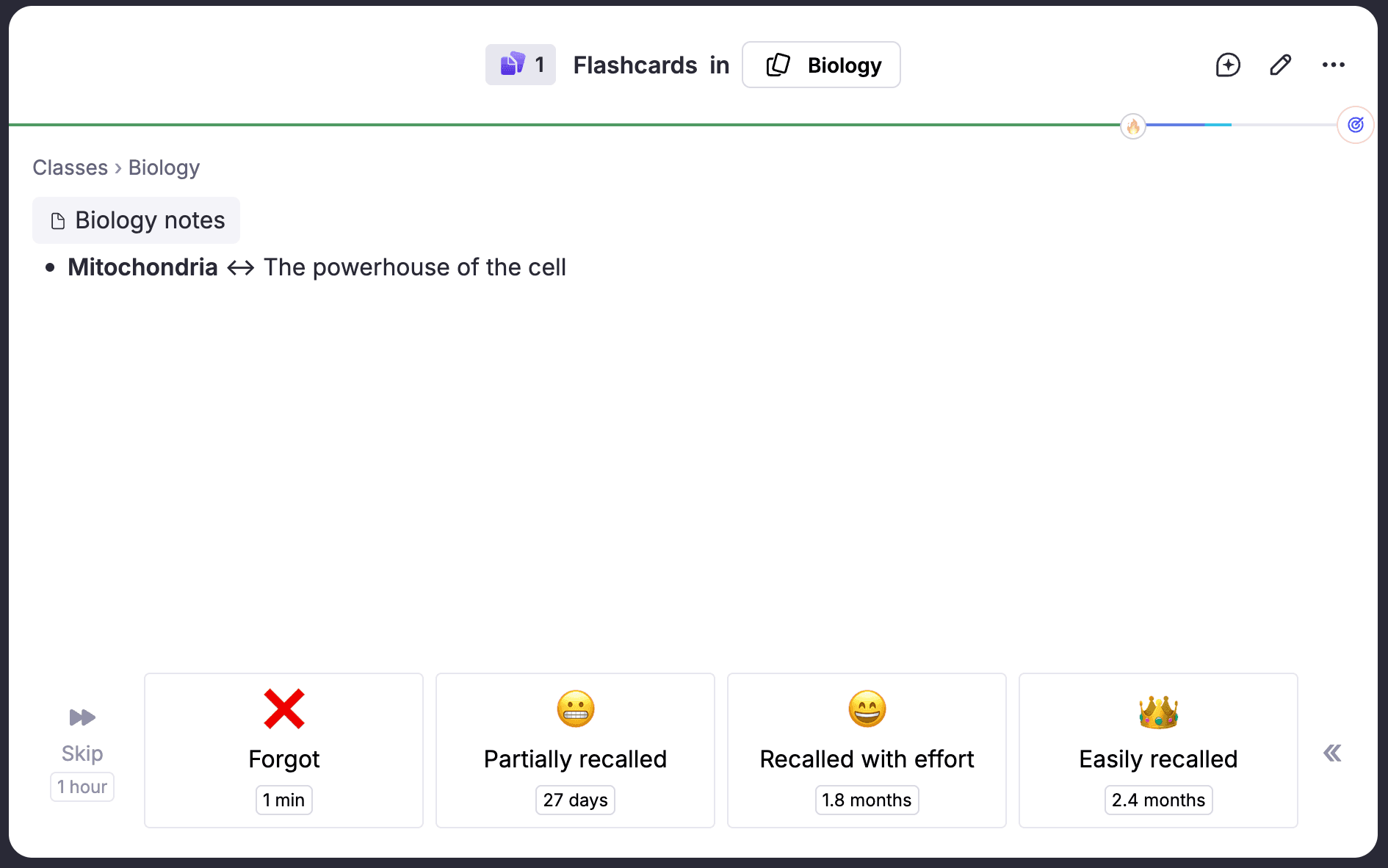
RemNote also offers an exam scheduler that takes your exam date as an input and adjusts your daily reviews to make sure you're prepared in time.
Note-taking feature
Anki
Anki is a flashcard app and nothing more. It doesn't have any note-taking feature. Your cards are standalone bits of information.
RemNote
RemNote is a full note-taking app as well as a flashcard app. It does both well.
It allows you to take notes in the form of bullets. You can also nest bullets under each other to create a connected hierarchy of concepts.
You can also tag concepts to build a network of related knowledge. For example, you can tag a note on Shingles with Disease, and RemNote creates a bidirectional link between the two so you can jump between them whenever needed.
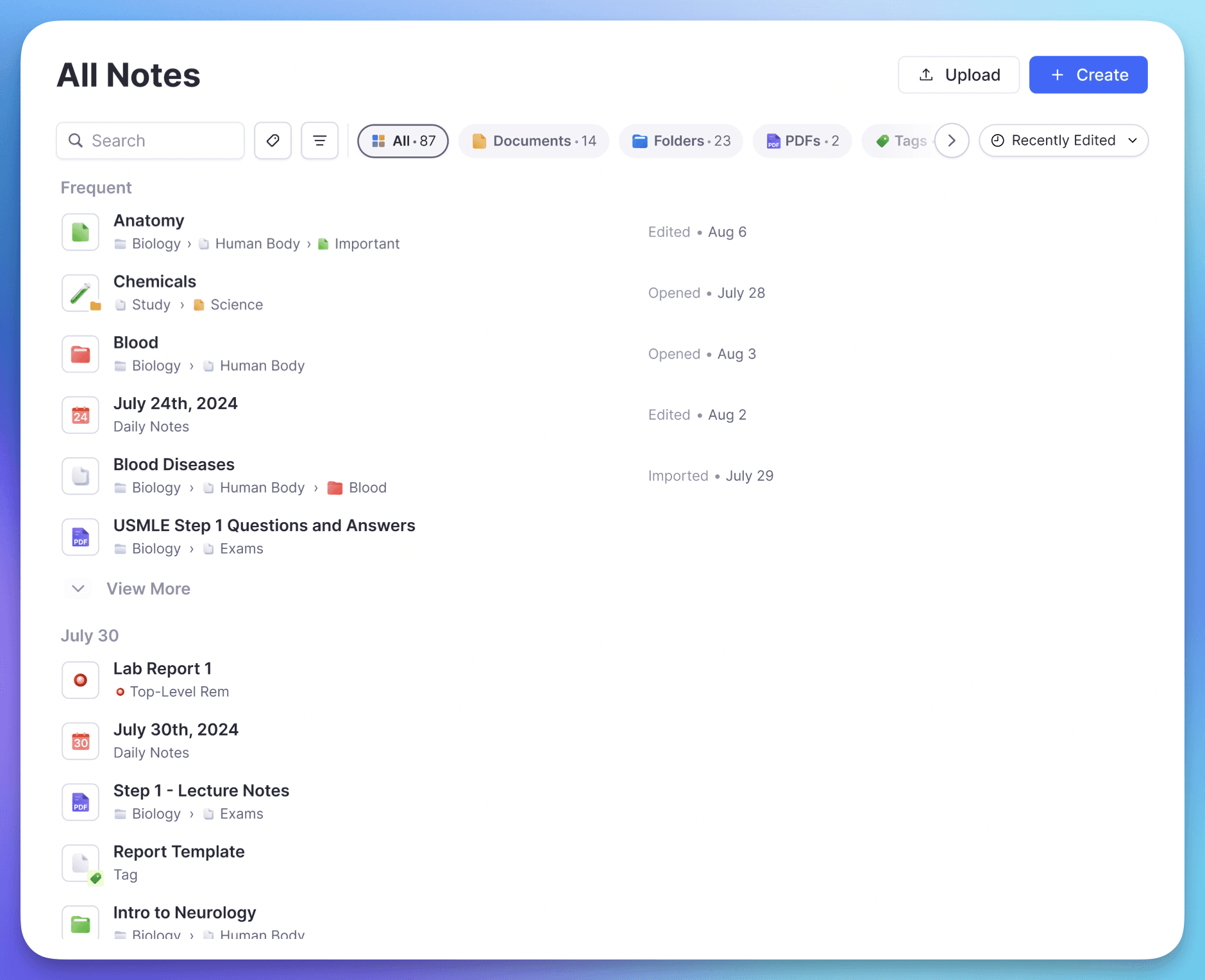
On top of that, RemNote's notes come with a built-in PDF annotator. This feature lets you annotate PDFs the way you'd mark up a physical book. The benefit added by RemNote is that you can turn your PDF annotations into flashcards on the spot.
Community library
Both platforms maintain a library of shared study material made by users. Before creating a deck from scratch, you can look it up in these libraries to see if something similar already exists.
Anki
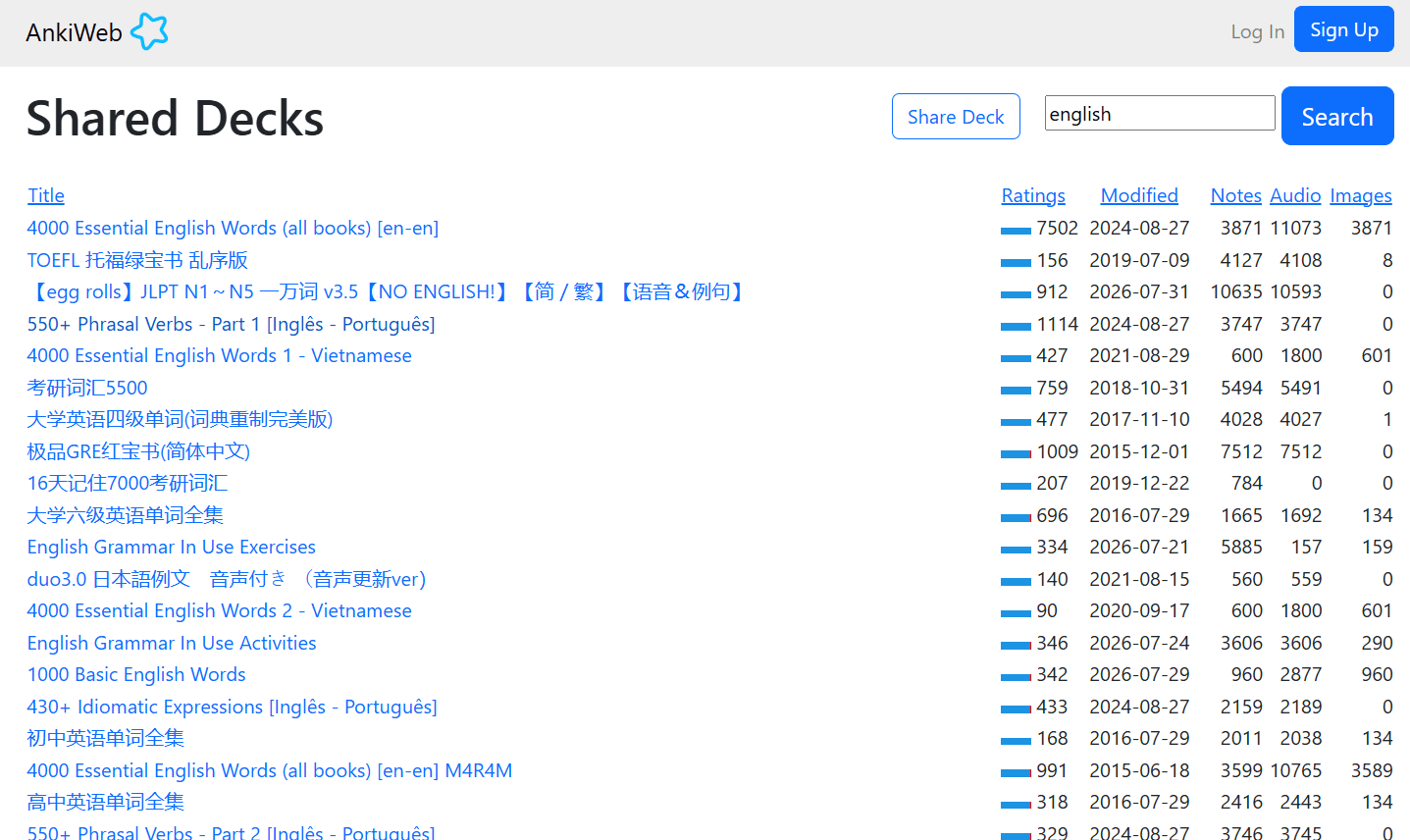
Anki's version of a shared deck library is hosted on AnkiWeb.
You'll find decks on medicine, law, languages, science, and pretty much any subject a student might study.
The list of decks shows the rating a deck has received from the community and how many flashcards are part of it.
Some of these decks are huge and well-known, especially in the medical community.
There’s a separate library of decks for different languages. You can also browse the library by a subject. A search feature is also available.
Once you have found a helpful deck, you download it and start reviewing.
RemNote
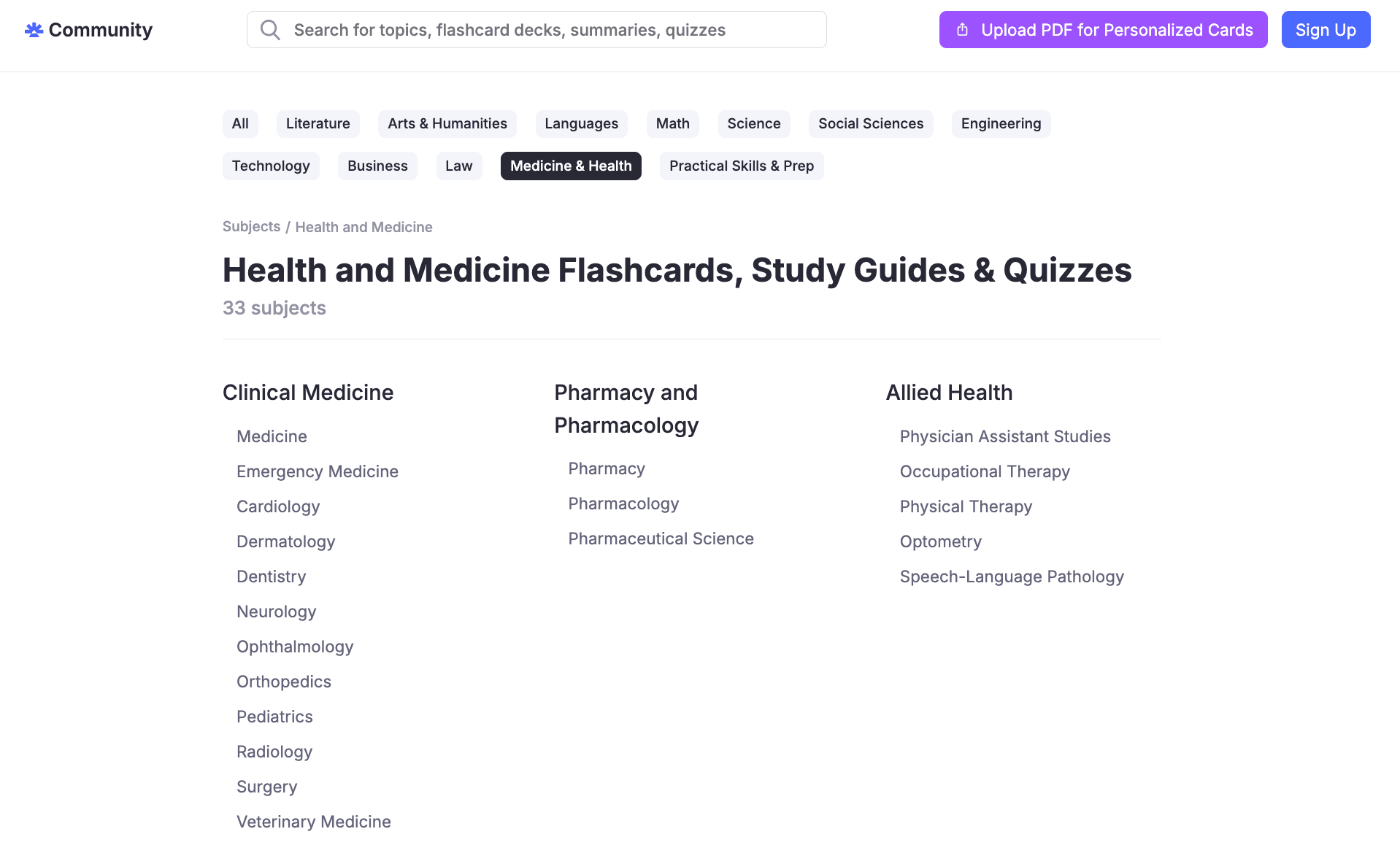
RemNote's shared library is called Community.
It gives you access to flashcards, summaries, and quizzes shared by the community or by the RemNote team itself.
Here’s the list of subjects whose material is available on RemNote Community:
- Literature
- Arts & Humanities
- Languages
- Math
- Science
- Social Sciences
- Engineering
- Technology
- Business
- Law
- Medicine & Health
- Practical Skills & Prep
Each of these subjects has multiple subtopics, which can contain multiple decks and quizzes.
You’ll also find the following types of material in the Community:
- Study Guides: Short documents that act as a plan for learning a topic and point you to the core ideas worth knowing
- Public courses: Shared by other learners from your school or university
You can also share your own notes with a course. When you do, RemNote's AI Tutor turns those notes into flashcards, a quiz, and a set of key topics automatically, all for free.
Anything you find in Community can be saved into your own knowledge base. There’s no need for downloading anything.
Ease of use
The difference in ease of use of the two tools, RemNote vs Anki, is massive.
Anki
Anki’s difficulty of use is probably the biggest reason that pushes people to look for Anki alternatives in the first place.
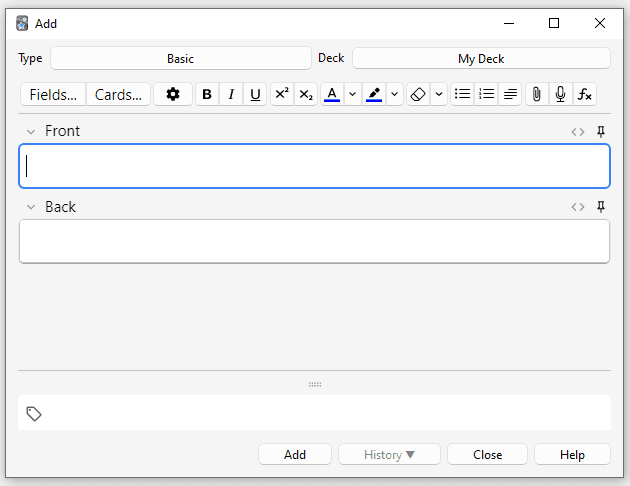
Anki’s learning curve is genuinely steep. Before you can use it well, you need to understand how to configure your decks and adjust your settings. You might also need to install the right add-ons to make up for the features that aren't there by default.
The interface doesn't help either because it looks dated and can quickly overwhelm a new user.
RemNote
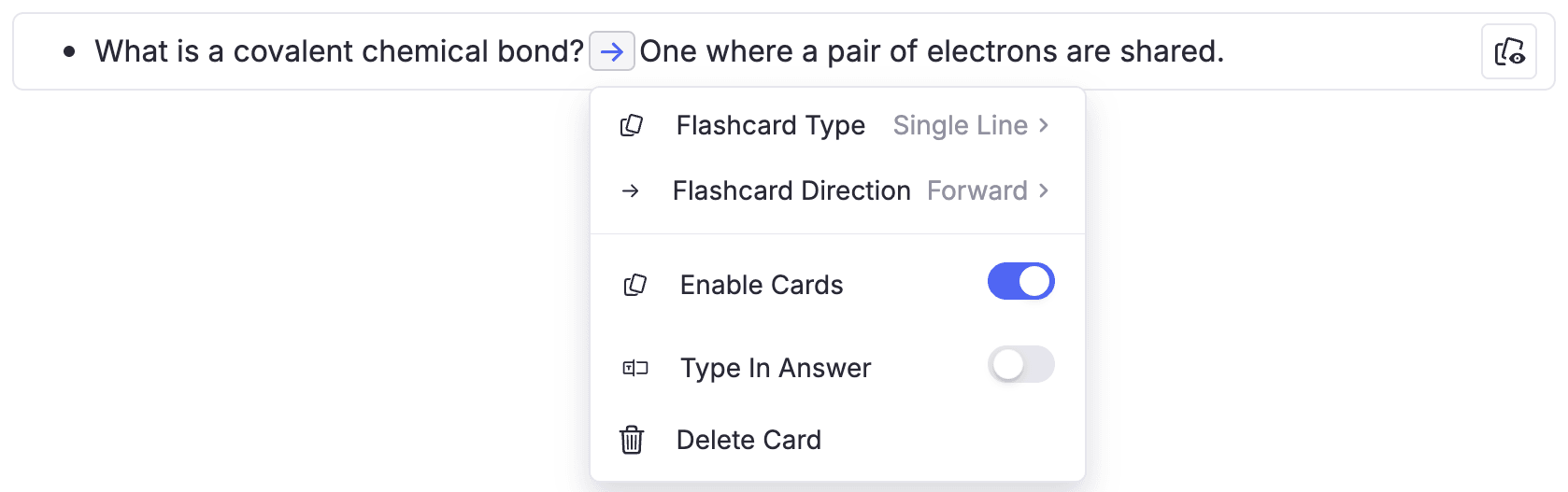
In contrast, RemNote is easier to get used to, thanks to its modern and cleaner interface. While add-ons are supported, you don’t need them for the majority of the tasks.
All of RemNote’s card creation processes are as simple as the examples above.
That said, RemNote is still a feature-rich tool, so parts of it can take a little time to get familiar with.
Supported platforms
Both tools work across a wide range of devices.
Anki
Anki works on Windows, Mac, Linux, iOS, and Android. It also works on browsers, but limited features are supported.
RemNote
On the other hand, RemNote works on Windows, Mac, Linux, Android, iOS, and Chrome. Its web app is as powerful as its installable app version.
RemNote also works offline.
In short, both tools are available almost everywhere.
Pricing
The price difference is also stark.
Anki
Anki is essentially free, and this has always been one of its biggest advantages.
You can use it for free on every platform except iOS. The iOS version works on iPad and iPhone, and requires a one-time fee.
| Anki Plan | Price |
| Windows, Mac, Linux, Android, and Web | $0 |
| iOS app (AnkiMobile) | One-time $24.99 |
RemNote
RemNote works on a free-plus-subscription model. The free plan lets you take notes and study flashcards.
The paid plans give you access to extra features like the exam scheduler and the AI tools.
| RemNote Plan | Price |
| Free plan | $0/month |
| Pro | $10/month (billed monthly) or $8/month (billed annually) |
| Pro with AI | $20/month (billed monthly) or $18/month (billed annually) |
There's a 25% discount for eligible students on the Pro plan.
RemNote also offers a lifetime plan for a one-time fee of $395. The AI capability can be bought separately for $10/month.
What makes RemNote stand out?
Anki gives you a genuinely valuable spaced repetition engine. But that’s it.
Note-taking has to be done in a separate app. You also have to build your flashcards from scratch by hand. There’s no way to build cards automatically.
RemNote offers more features than Anki, along with making the processes a lot easier.
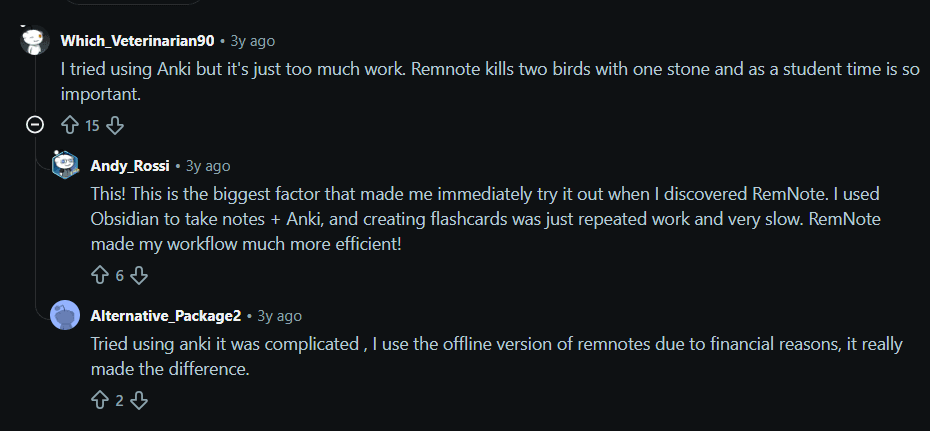
As one student put it on Reddit, Anki feels like too much work, and RemNote kills two birds (note-taking and flashcards) with one stone.
So, give it a go. Sign up for RemNote for free and study smarter from day one.