5 Best Knowt Alternatives for Students in 2026


Knowt bills itself as the free alternative to Quizlet. And honestly, it is actually better than Quizlet in some ways.
But when you compare it with other platforms and alternatives to Knowt in the industry, its features are quite basic.
For instance, it tends to generate fairly basic question-and-answer flashcards. There's no true spaced repetition algorithm, either. What exists is something that feels closer to a priority queue that repeats cards you got wrong.
These and a few more downsides don’t make Knowt a bad tool, though. Knowt does what it promises.
It simply has a ceiling like any AI study tool.
If you have hit that ceiling, this article will walk you through the five best Knowt alternatives that solve one or all of these problems.
Let’s start exploring them.
Top 5 Knowt alternatives that you must consider if you’re a student
| Tool | Best For | AI Flashcards Generation | Spaced Repetition Algorithm | Notes + PDF Annotation | Platforms | Starting Price |
|---|---|---|---|---|---|---|
| RemNote | Note-taking and comprehensive flashcard support | ✅ | FSRS 6 + SM-2 | ✅ | Windows, Mac, Linux, Android, iOS, Chrome | $10/month |
| StudyFetch | AI-generated study material | ✅ | Yes, spaced repetition with rating options | ❌ | Browser, Android, iOS | $19/month |
| Quizlet | A massive library of ready-made flashcards | ✅ | Basic adaptive review | ❌ | Browser, iOS, Android | $7.99/month |
| Brainscape | Prepping for high-stakes exams | ✅ | Confidence-based repetition (CBR) | ❌ | Browser, iOS, Android | $19.99/month |
| Anki | Free, fully customizable spaced repetition | ❌ | FSRS 6 + SM-2 | ❌ | Windows, Mac, Linux, iOS, Android | Free (iOS costs $24.99 one-time) |
1. RemNote (Best for note-taking and comprehensive flashcard support)
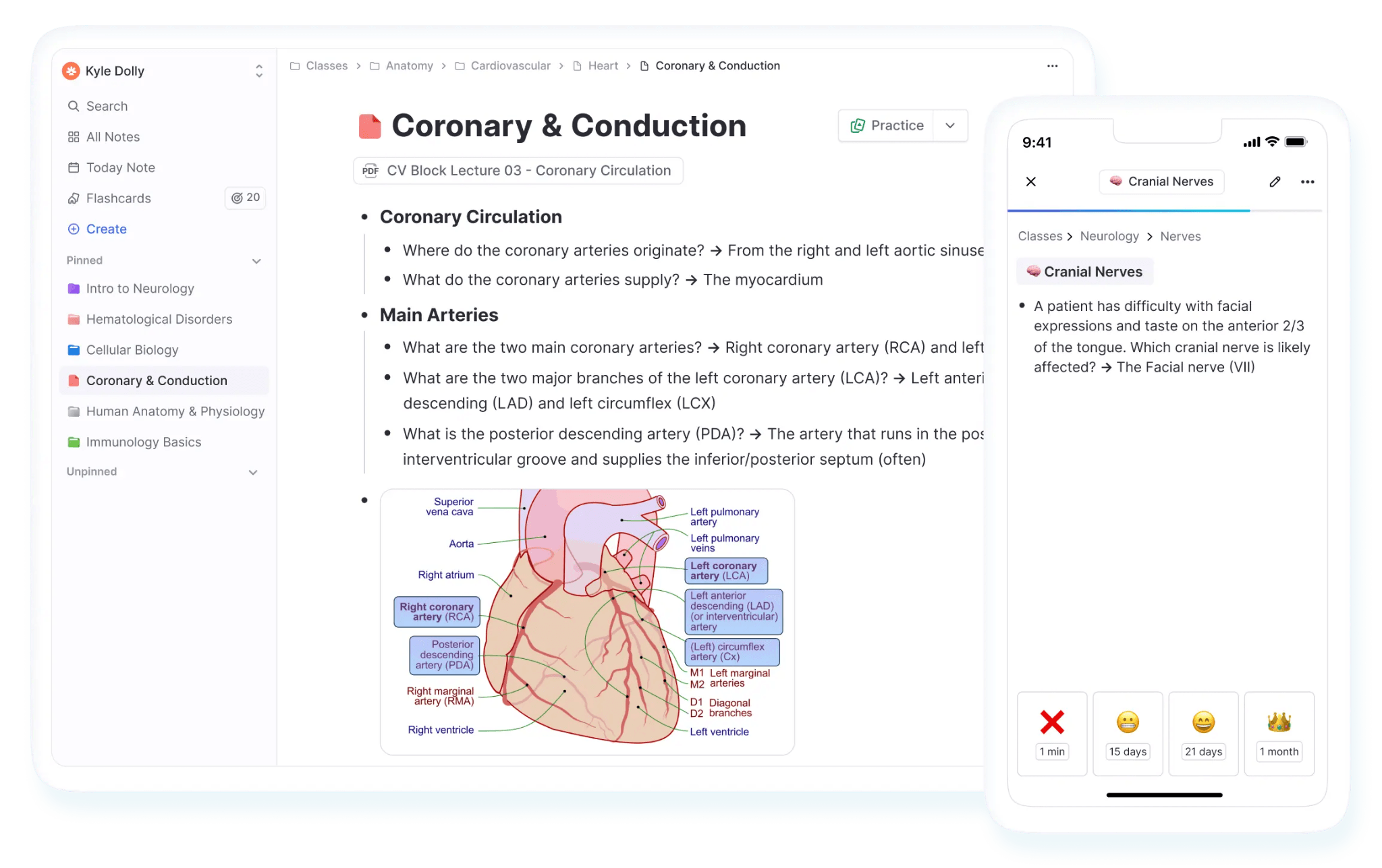
RemNote is an all-in-one study app.
It lets you take notes, annotate PDFs, generate and practice flashcards, record and transcribe lectures, and more.
RemNote is the app that lets you take notes within the tool and create flashcards of all types (simple and complex) from those notes at the same time. You can also upload your handwritten notes to digitize them or generate notes from them.
You can also ask the AI inside RemNote to generate flashcards on anything, or you can simply import decks from other apps like Quizlet and Anki. If a file type isn't supported, you can just copy and paste the text in, and RemNote will work with that too.
The best thing about RemNote’s flashcards is that you practice them in the actual spaced repetition method. RemNote has a true implementation of FSRS as well as the classic SM-2 algorithm in place, both of which are proven methods for knowledge retention.
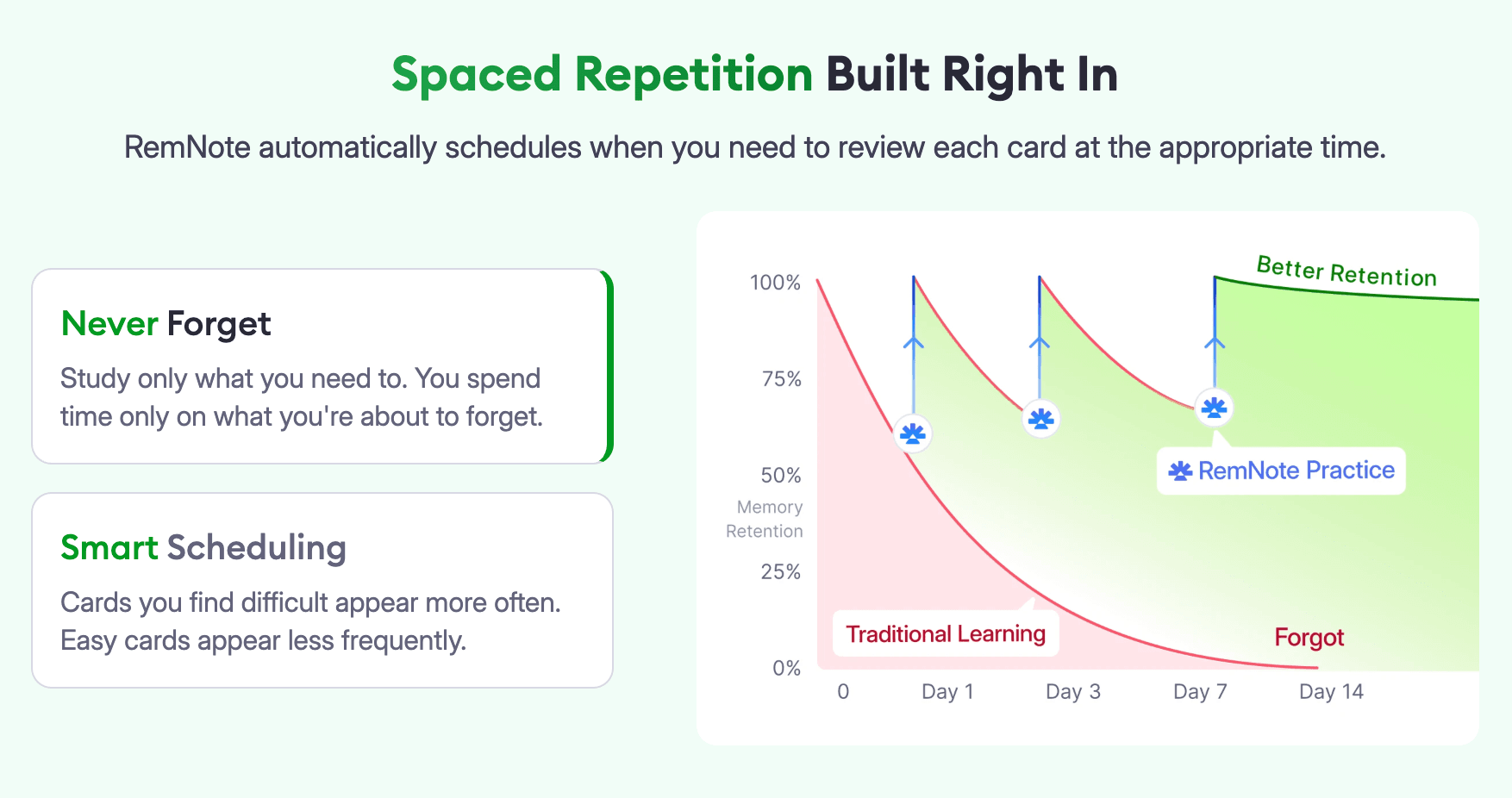
There’s also an exam scheduler. You can set an exam date, and RemNote will build a daily practice schedule of flashcards around it, which ensures you’re well prepared for the exam.
Try RemNote for free and see the difference in your knowledge retention yourself.
Key features
6 flashcard types supported
- Question and answer
- Cloze
- Multiple choice
- Image occlusion
- Audio
- Multiline
- Concept cards
You can turn any line in your notes into a flashcard
AI can generate flashcards from uploaded documents, handwritten notes, lecture recordings, and the web. You can also refine generated flashcards with AI.
Supports both FSRS and SM-2 spaced repetition algorithms
Exam scheduler that prepares you for exams
Annotate PDFs and generate flashcards from them
Take notes and study flashcards offline
Works on Windows, Mac, Linux, Android, iOS, and Chrome
Detailed statistics of your progress on flashcard decks
Record lectures or upload recordings to generate flashcards and quizzes, or ask questions about the lecture.
Pros
- True spaced repetition with FSRS and SM-2
- Notes and flashcards in one app
- Works offline
- No ads on any plan
- Free plan is genuinely usable
- Available across every platform
- 25% discount on RemNote Pro plan for eligible students
- Lifetime plans are also available
Cons
- Takes a bit of time to learn given how many features it has
Pricing
You can try RemNote for free before committing to any of the two paid plans:
- Pro: $10/month when billed monthly, and $8/month when billed annually
- Pro with AI: $20/month when billed monthly, and $18/month when billed annually
There's also a lifetime plan of $395 if you'd rather pay once and be done with it.
2. StudyFetch (Best for AI-generated study material)
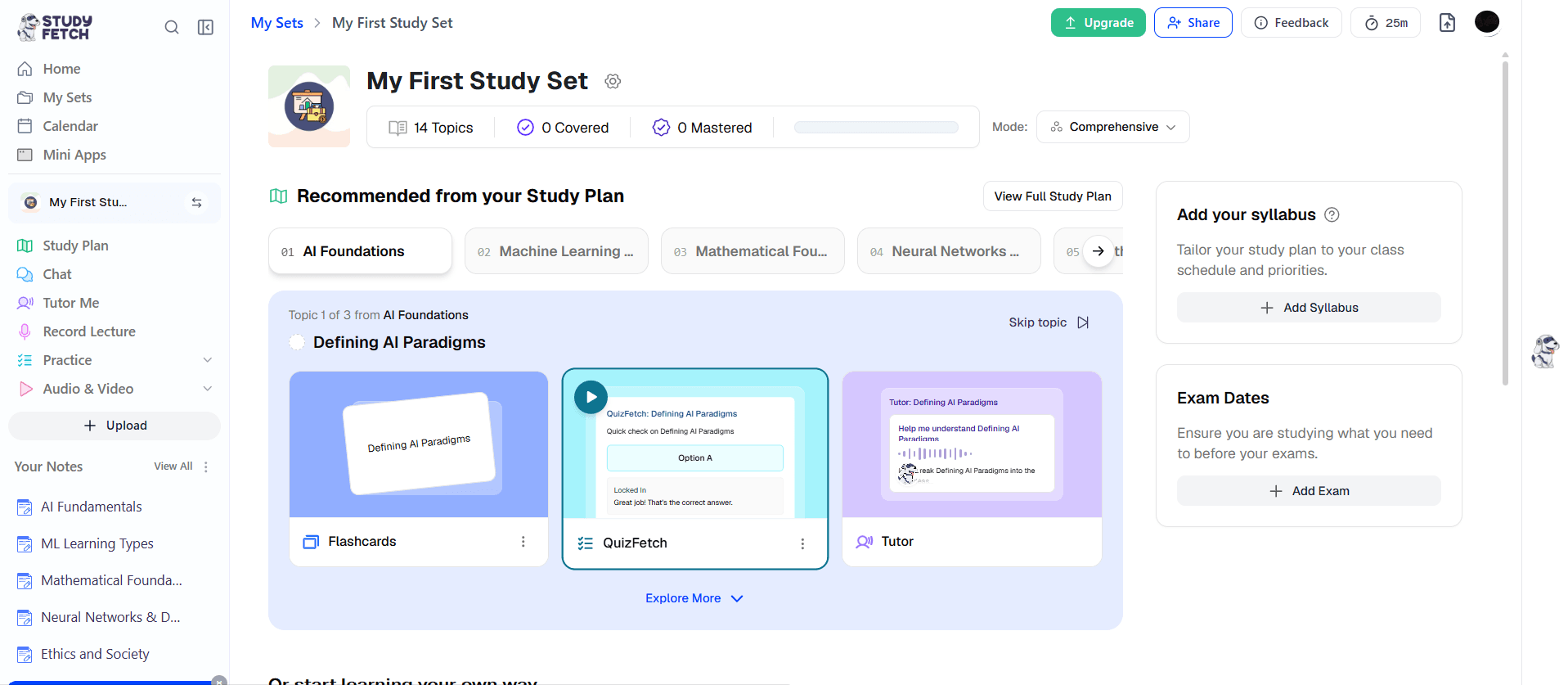
StudyFetch is an AI-powered learning platform that generates pretty much everything through AI in some way.
The AI within the platform is called Spark.E, which generates notes, flashcards, quizzes, visuals, and audio and video summaries from uploaded files.
You can interact with the AI bot through text and voice.
There’s also a lecture recording feature that automatically generates notes from those recordings.
You can also create flashcards manually, which is the only way you can create image occlusion cards as well in StudyFetch.
The platform caters to students across K-12, college, and professional education.
Key features
Five flashcard types supported
- Term and definition
- Audio
- Multiple choice
- Fill in the blank
- Cloze deletion
Spark.E AI tutor can generate videos, audio, or visuals to explain things if asked
Detailed statistics for tracking your flashcard performance
Can generate up to 250 cards at once from materials or a topic
Available for use on browser, Android, and iOS
Pros
- The Spark.E AI tutor supports rich output formats
- Multiple flashcard types and creation methods are supported
- Proper spaced repetition mode with rating options
Cons
- No note-taking feature
- Cluttered UI
- Pricing can only be seen after signing up and following on-screen instructions
Pricing
You'll have to sign up on the platform first to get to know StudyFetch’s pricing:
- Free plan
- Annual: $8/month
- Monthly: $19/month
3. Quizlet (Best for a massive library of ready-made flashcards)
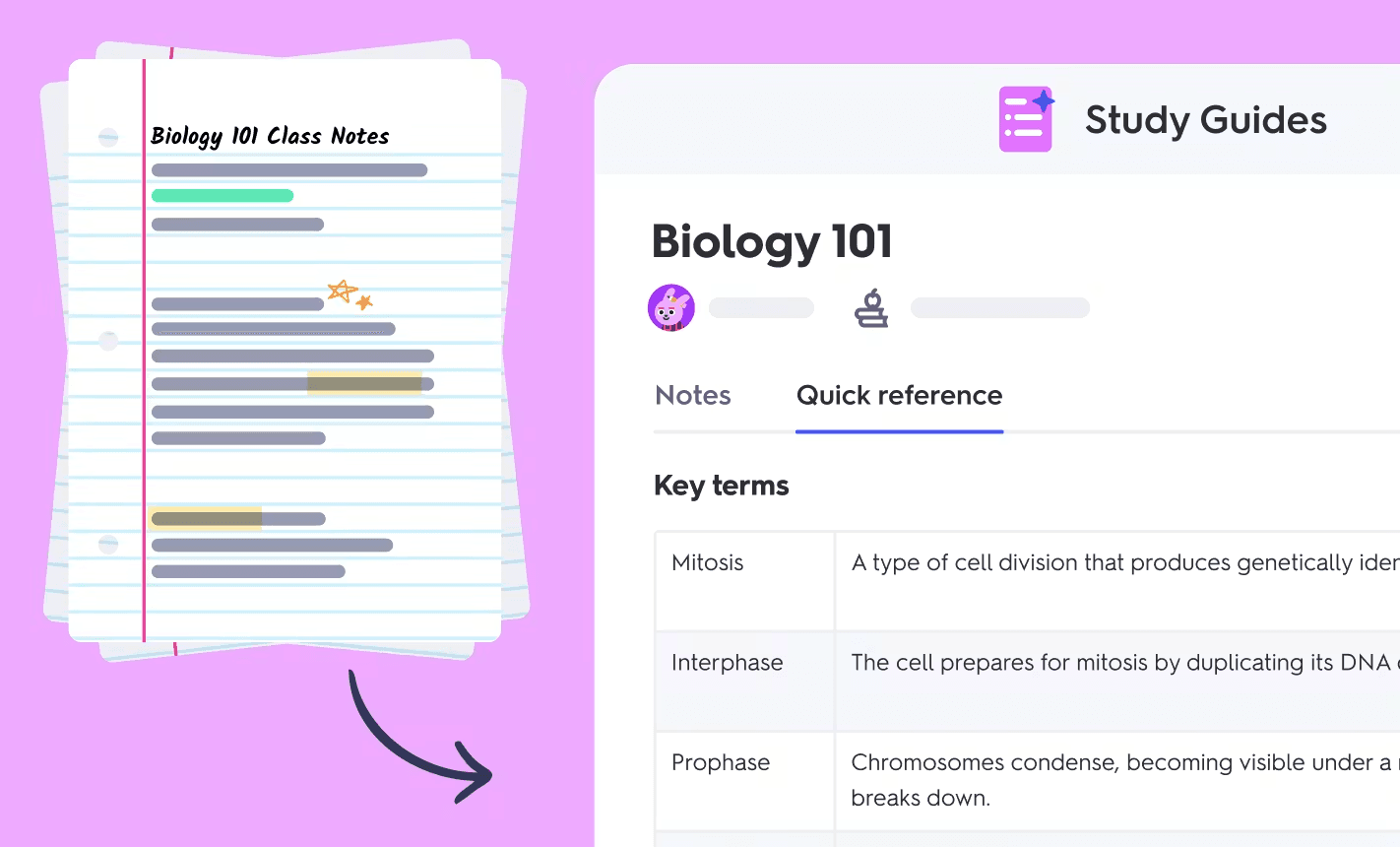
Quizlet was a personal project of a teenager who made it to memorize French vocabulary for a test. The tool was released to the public back in 2007.
Quizlet is known for its vast library of flashcard sets made by the community. The available flashcard decks span almost every subject you can think of, which saves you from generating flashcards from scratch most of the time.
If you choose to manually create flashcards, you're given separate fields for the term and the definition, along with an option to add an image.
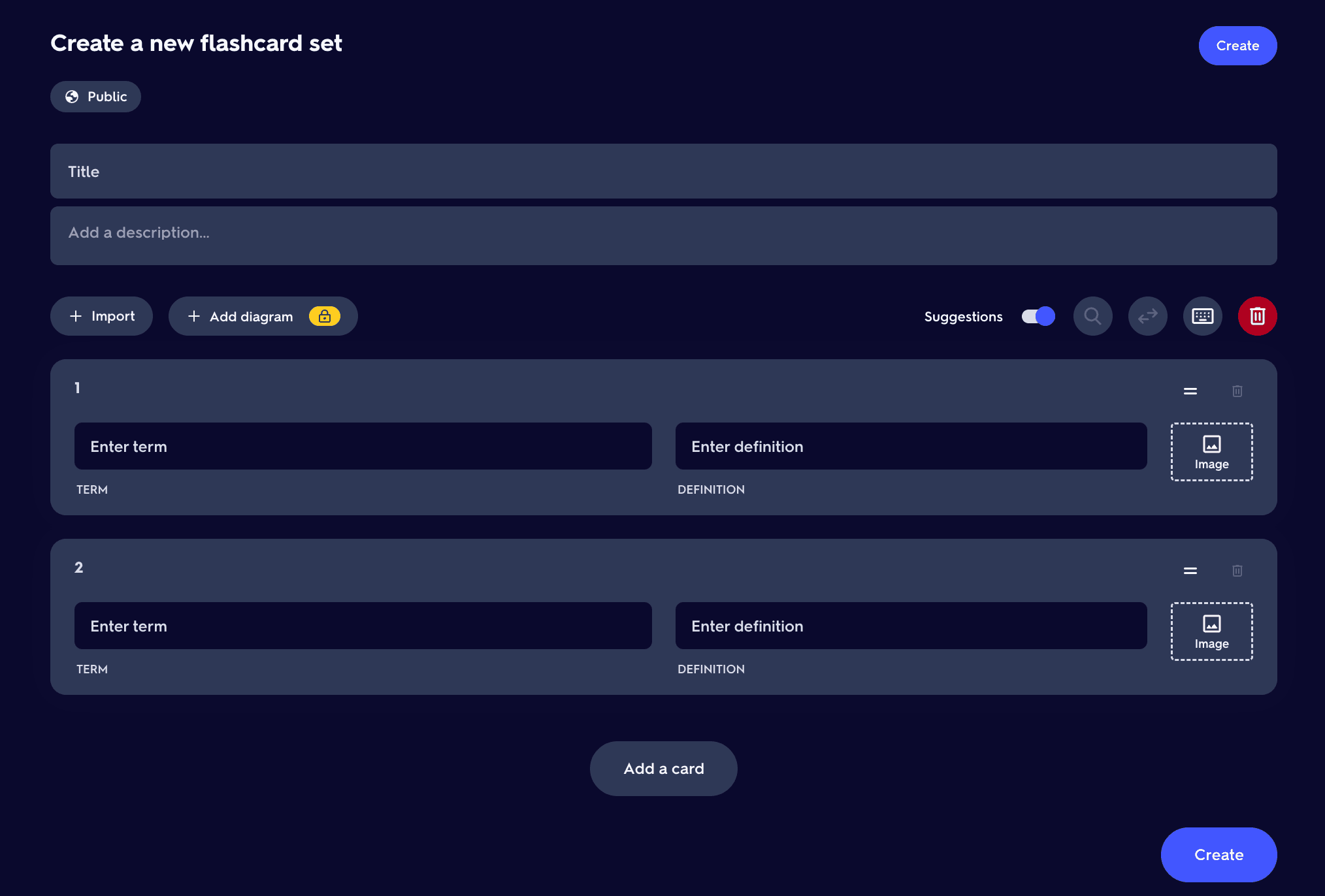
Quizlet also supports diagram sets, but that's about it because only two flashcard types are supported.
And if you want Quizlet to automatically generate flashcards from an uploaded document, you’ll have to format the document first. For instance, you’ll have to separate terms and definitions using a comma, dash, or tab, and mark a line change using a semicolon, among other things.
Or you can use Quizlet’s AI feature, Smart Assist, to generate flashcards from uploaded documents without any manual formatting.
Key features
- Massive library of flashcard decks
- Smart Assist AI feature that generates flashcards from prompts or uploaded documents
- Supports PDFs, PowerPoint, and Google Slides
- Students can practice together and track each other’s progress
- Available through a browser, iOS, and Android
Pros
- Unmatched library of pre-made decks
- Easy to get started with
- Study groups make collaborative studying easier
Cons
- Automatic creation of flashcards from documents without AI requires manual formatting, and it supports two flashcard types, i.e., term & definition and diagram
- Spaced repetition implementation is basic
- No note-taking, lecture recording, or document annotation feature
Pricing
There’s a free plan as well as a free trial of Quizlet available. Apart from that, Quizlet offers two paid plans for students:
- Quizlet Plus: $7.99/month
- Quizlet Plus Unlimited: $9.99/month
4. Brainscape (Best for prepping for high-stakes exams)
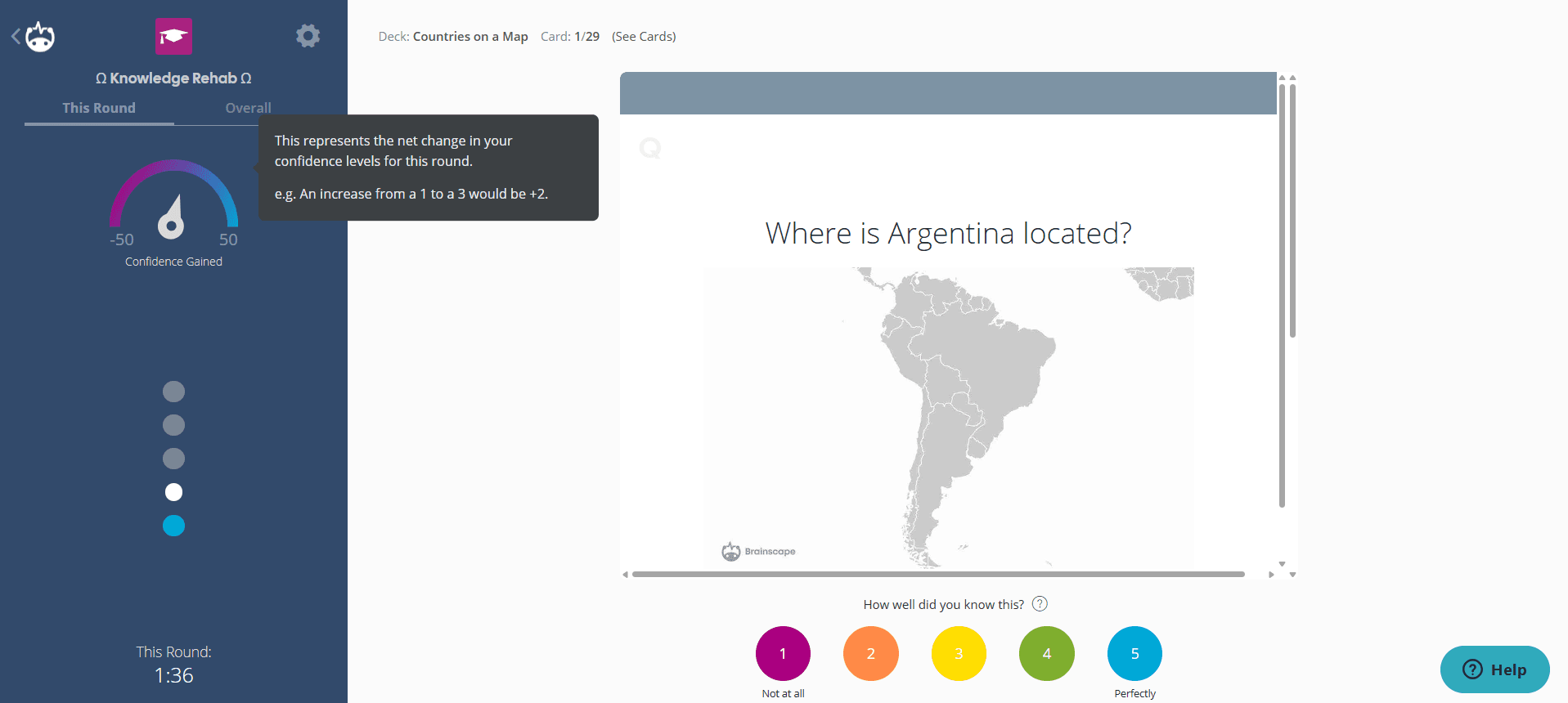
Brainscape is another AI-powered flashcard application that’s known for its confidence-based repetition (CBR) algorithm for practicing flashcards.
You rate your confidence on each card from 1 to 5, and the card is scheduled based on that rating. So if you rate something a 1, it means you barely know it, and the system will show it to you again soon. But if you rate a card a higher number, it’ll take longer to reappear.
Brainscape also has a massive collection of pre-made decks covering MCAT, Bar Exam, NCLEX, AP tests, law, fine arts, language learning, and plenty of other subjects.
What’s unique about Brainscape’s library is that the decks there are vetted by publishers and educators that Brainscape partners with.
You can also create your own flashcards. Brainscape lets you add images, audio files, and even animated GIFs to your cards.
Key features
- Confidence-based rating system
- AI suggests flashcards from your uploaded docs
- Expert-certified library of flashcard decks across professional and academic subjects
- Support for images, audio files, and animated GIFs on cards
- Users can view and edit each other’s decks
Pros
- Separate libraries for certified and uncertified flashcards
- Library is massive and spans basic and expert-level subjects
- Clean interface
- Users can earn royalties on their Brainscape flashcards through the Authorized Creator Program or by becoming a Certified Author
- Advanced flashcards scheduling algorithm
- Lots to do on the forever free plan
Cons
- No note-taking, document annotation, and lecture recording feature
- Your flashcards are public by default on the free plan
Pricing
Brainscape offers monthly, half-yearly, yearly, and lifetime subscription options:
- Forever free plan
- Pro plan: $19.99 (monthly), $9.99/month (semester), $7.99/month (yearly), $199.99 (lifetime)
- Custom enterprise plan is also available
5. Anki (Best for free and fully customizable spaced repetition)
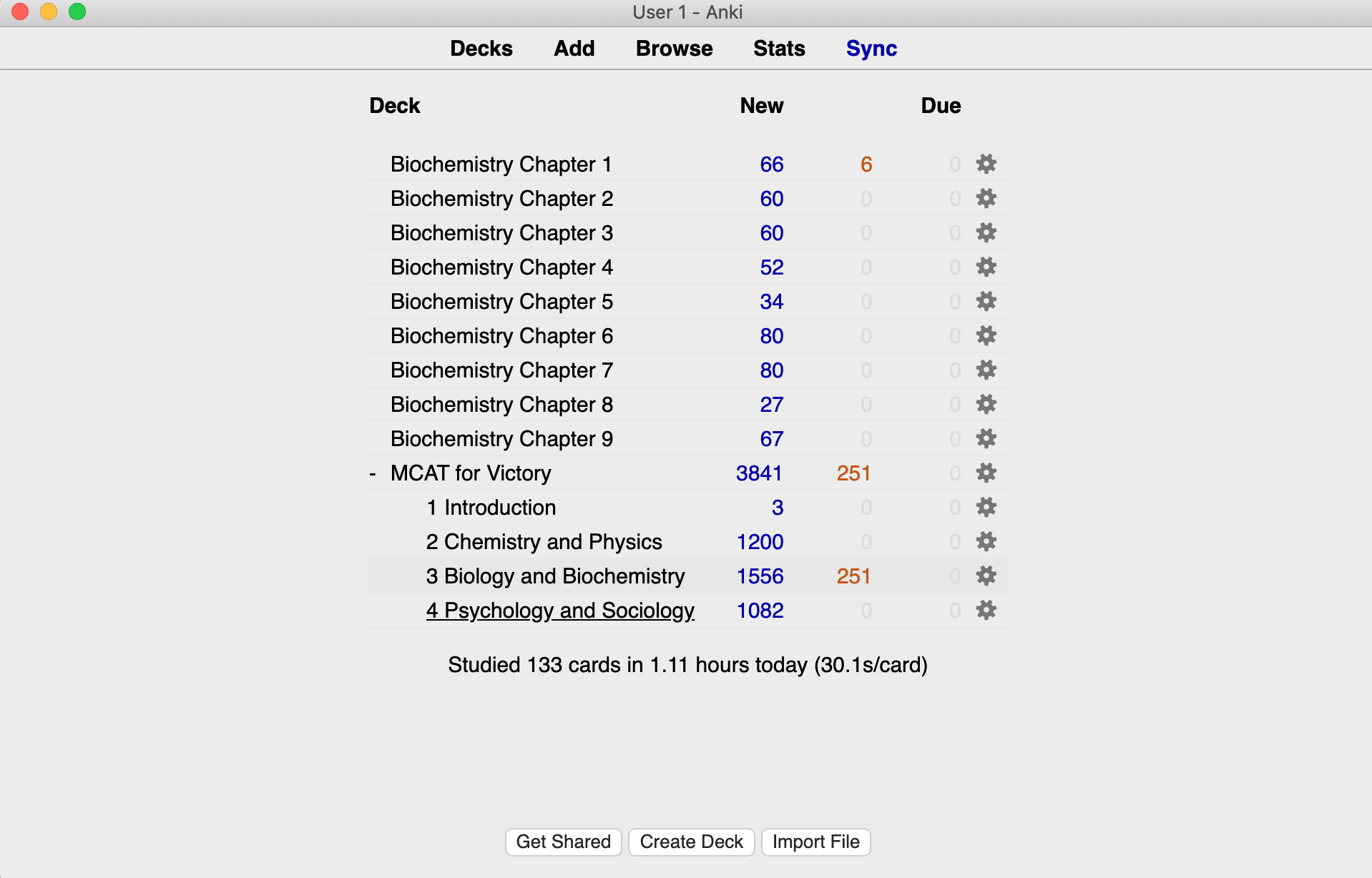
Most students have used Anki at some point, and it's still considered the gold standard for spaced repetition.
But despite the platform's seniority, creating cards in Anki takes more effort than with most other modern tools on this list.
You have to do everything manually, and that requires understanding the features first. There's no AI shortcut to create flashcards for you.
However, you can add external third-party AI flashcard generators or community-created Anki add-ons to build decks and export them into Anki. You'll find add-ons for almost anything, including image occlusion, better statistics, improved editing tools, speech synthesis, and even gamification elements. But keep in mind that Anki add-ons are desktop-only.
A benefit of Anki's manual approach is that you can customize almost everything about your flashcards. The manual approach also allows for several types of flashcards.
Anki’s flashcard scheduling is also based on an advanced implementation of the SM-2 and FSRS algorithms. You also get to customize almost every part of how the algorithm behaves, down to your desired retention rate and how your daily review load gets balanced out.
Key features
- Powerful spaced repetition through SM-2 and FSRS algorithms
- Decks can hold well over 100,000 cards
- Massive add-on library
- Large pre-made decks library covering all subjects
- Highly customizable flashcards and the review process
- Available on Windows, Linux, macOS, iOS, and Android
Pros
- Free on desktop and Android
- Shared decks available in multiple languages
- Highly customizable
- Highly accurate scheduling through SM-2 and FSRS
- Massive decks and add-on support
- Full control and ownership over your data
Cons
- No note-taking, lecture recording, or document annotation feature
- Steep learning curve for beginners
- Interface looks and feels outdated
- Card creation takes time and effort
- No built-in AI card generation
Pricing
- Free on Windows, Mac, Linux, and Android
- iOS app (AnkiMobile) costs $24.99 as a one-time purchase
Why RemNote is the best Knowt alternative
All Knowt alternatives on this list have one trade-off or another for those wanting to move away from Knowt.
The tools either lack an advanced scheduling algorithm, a lecture recording and transcriber, flashcard types, or ease of creating flashcards.
RemNote is the one tool on this list that doesn't ask you to pick a trade-off. It’s a like-for-like Knowt alternative.
You get better features in addition to some extra ones that Knowt doesn’t even offer.
RemNote’s flashcards are also scheduled through advanced algorithms that ensure long-term learning.
Sign up for RemNote for free now.