5 Best Flashcard Apps for Medical School


If you're here, you're probably crushed under the weight of the massive syllabus that medical school content throws at you. And you're looking for an efficient way to actually retain all of it!
Flashcards are the go-to study tool for medical students because they use active recall and spaced repetition, the most effective study method backed by cognitive science research.
There are dozens of different flashcard apps, each with its own upsides and downsides. I experimented with over 10 different flashcard apps for medical school and narrowed my selection down to the 5 that I found genuinely worth your time.
In this article, I review my top 5 picks based on their core features, how rigorous their spaced repetition is, what medical students say about them on public forums, etc. For each one, I've also broken down the pricing, key features, and honest pros and cons, so you can make an informed decision for yourself.
TL;DR
RemNote is the best flashcard app for medical school. It's the only app on this list where notes and flashcards live in one system, with image occlusion, PDF annotation, and AI card generation built in. Anki is free and highly customizable, but its setup is a little complex. Brainscape and Memorang sell pre-built board content. Quizlet is the fastest to start with and the first one you'll outgrow.
5 Best Flashcard Apps for Medical School
Here are the top 5 flashcard apps that medical students can use for maximum learning.
| Tool | Best For | Free Plan | Med-School Standout | Starting Price | Ratings |
| RemNote | Turning your notes into flashcards for long-term retention | Yes. 3 annotated PDFs, limited image occlusion and AI credits | Image occlusion on lecture slides, with PDF annotations linked back to your notes | $8/month billed yearly ($10 billed monthly) | Google Play (4.7) / App Store (4.8) |
| Anki | Free, fully customizable review | Yes. Free on desktop, Android, and web | AnKing Step deck ecosystem for Step 1 and Step 2 CK | Free ($24.99 one-time on iOS) | Google Play (4.8) / App Store (4.6) |
| Brainscape | Ready-made certified decks with minimal setup | Yes. Capped at 100 cards per class | Certified MCAT and NCLEX decks written by publishers and educators | $9.99/month billed annually | Google Play (4.7) / App Store (4.8) |
| Quizlet | Quick recall before a single exam | Yes. Basic flashcards and community sets, with ads | Large community library, though not board-specific | $2.99/month billed annually ($7.99 billed monthly) | Google Play (4.7) / App Store (4.8) |
| Memorang | Board-aligned prep packs | Yes. App and card creation are free | USMLE Step 1 pack with 22,000+ cards mapped to First Aid, Pathoma, and Sketchy | Free; Study-Packs from $19.99/month | Google Play (4.1) / App Store (4.4) |
1. RemNote (Best for notes and flashcards in one system)
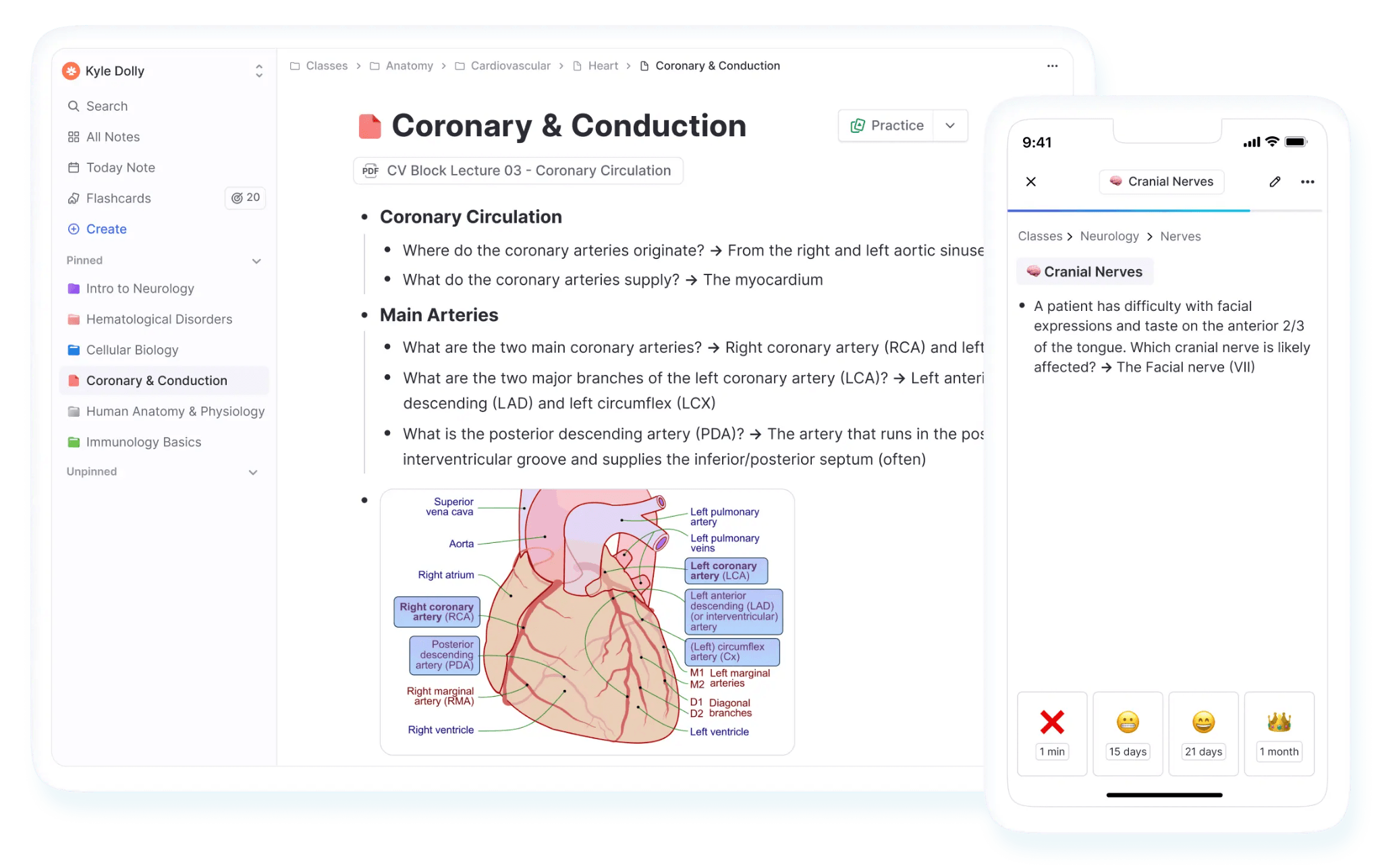
RemNote was founded in 2020 by former students Martin Schneider and Moritz Wallawitsch. They were frustrated with switching between separate apps for notes, flashcards, and PDFs and found a way to consolidate all study resources in one place.
Most med students have two systems in place. One is for lecture notes, and the other is for the cards they actually review. You write notes once and then rarely reopen them, and the cards drift out of context. So what happens is that you end up staring at an isolated fact with no memory of the lecture it came from.
But RemNote solves this problem for you by turning your lecture notes into flashcards. Any line in your notes can be marked as a flashcard, and it goes straight into your spaced repetition queue without leaving the page. The card and the note stay the same object. So when a card stumps you at 2 am, one click takes you back to the surrounding outline, the annotated slide, or the PDF passage it came from.
RemNote is the closest thing to a true "notes-as-flashcards" system for med students who live in their outlines.
Key features
- Notes-to-flashcards Conversion: Every note you write can directly become a flashcard, and every PDF annotation ties back into your linked knowledge base.
- Image Occlusion: It offers built-in visual flashcards that let you hide and test labeled parts of diagrams, images, and slides.
- Native PDF Reader + Annotation: You can highlight, draw, and annotate your PDFs in the same unified environment rather than a bolt-on feature.
- AI Tutor & Auto-Generated Cards: There’s an AI tutor chat and AI-generated flashcards/quizzes from any uploaded source.
- Spaced Repetition Algorithm: RemNote uses 2 spaced repetition algorithms, namely the classic SM-2 and FSRS algorithm, that schedule card reviews right before you are about to forget them. FSRS is an advanced algorithm that requires 20–30% fewer reviews for similar retention.
What Users Say
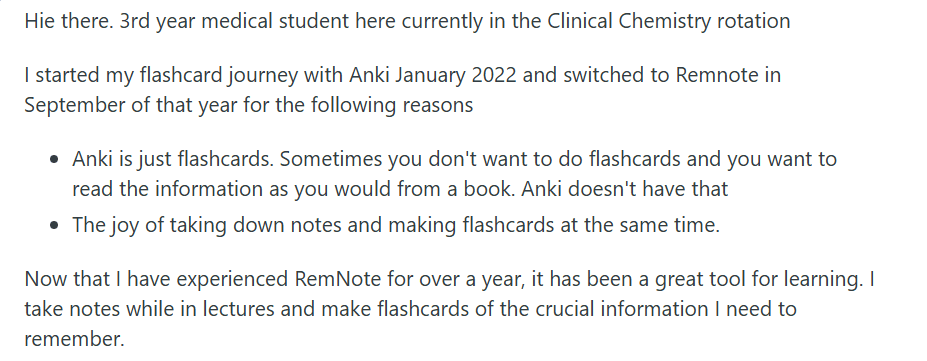
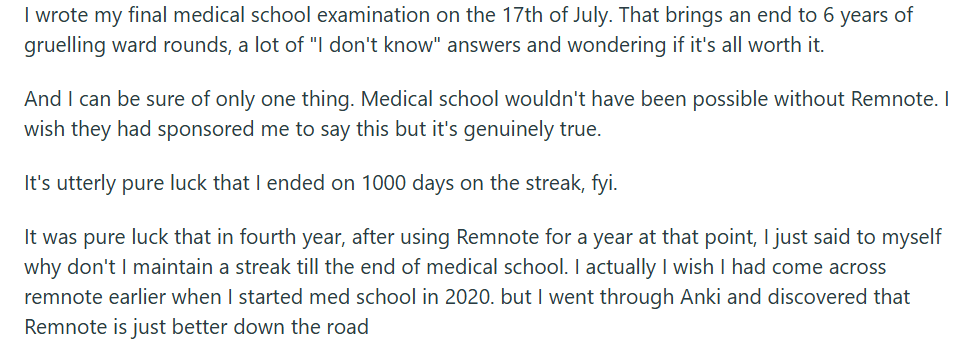
A massive chunk of RemNote’s user base are medical students. These med school students tend to describe RemNote as the one app that merges their lecture notes and review queue into one place. Here’s what the students have to say:
Pricing
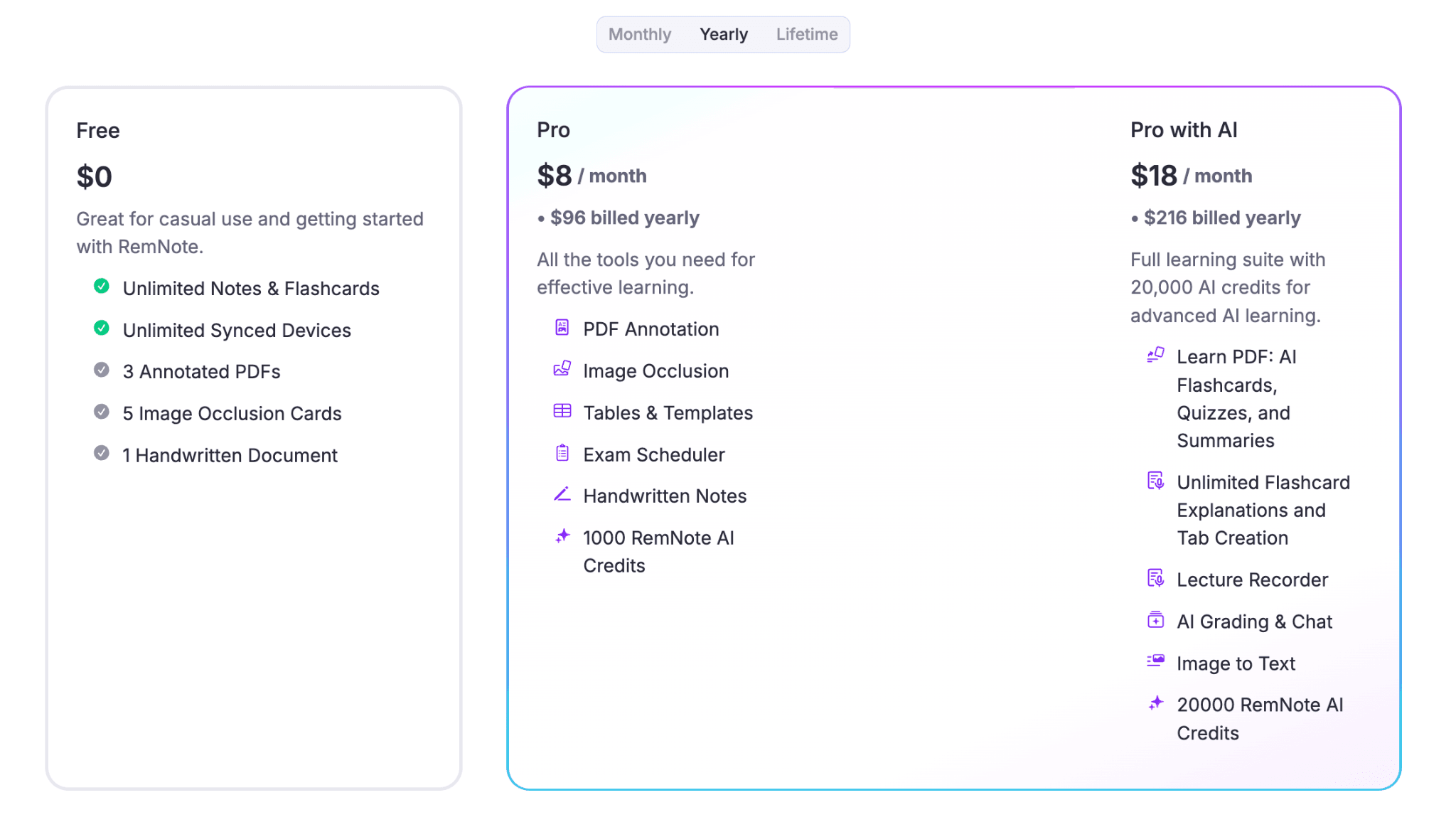
RemNote has a free plan available with limitations on annotated PDFs, image occlusion, and AI credits. The paid plans are:
- Pro: $10/month when billed monthly, and $8/month when billed annually
- Pro with AI: $20/month when billed monthly, and $18/month when billed annually
There's also a lifetime plan of $395 if you'd rather pay once and be done with it.
Pros
- Only app letting you toggle between SM-2 and FSRS at the card level
- Your notes and flashcards are the same object. Any change applied to both
- PDF annotations link directly into your knowledge base
- Cross-platform sync (web, iOS, Android, Windows, macOS, Linux) that works offline
Cons
- The free tier caps annotated PDFs at three
- There’s a small learning curve since there are a lot of features
2. Anki (Best for free option for full control)
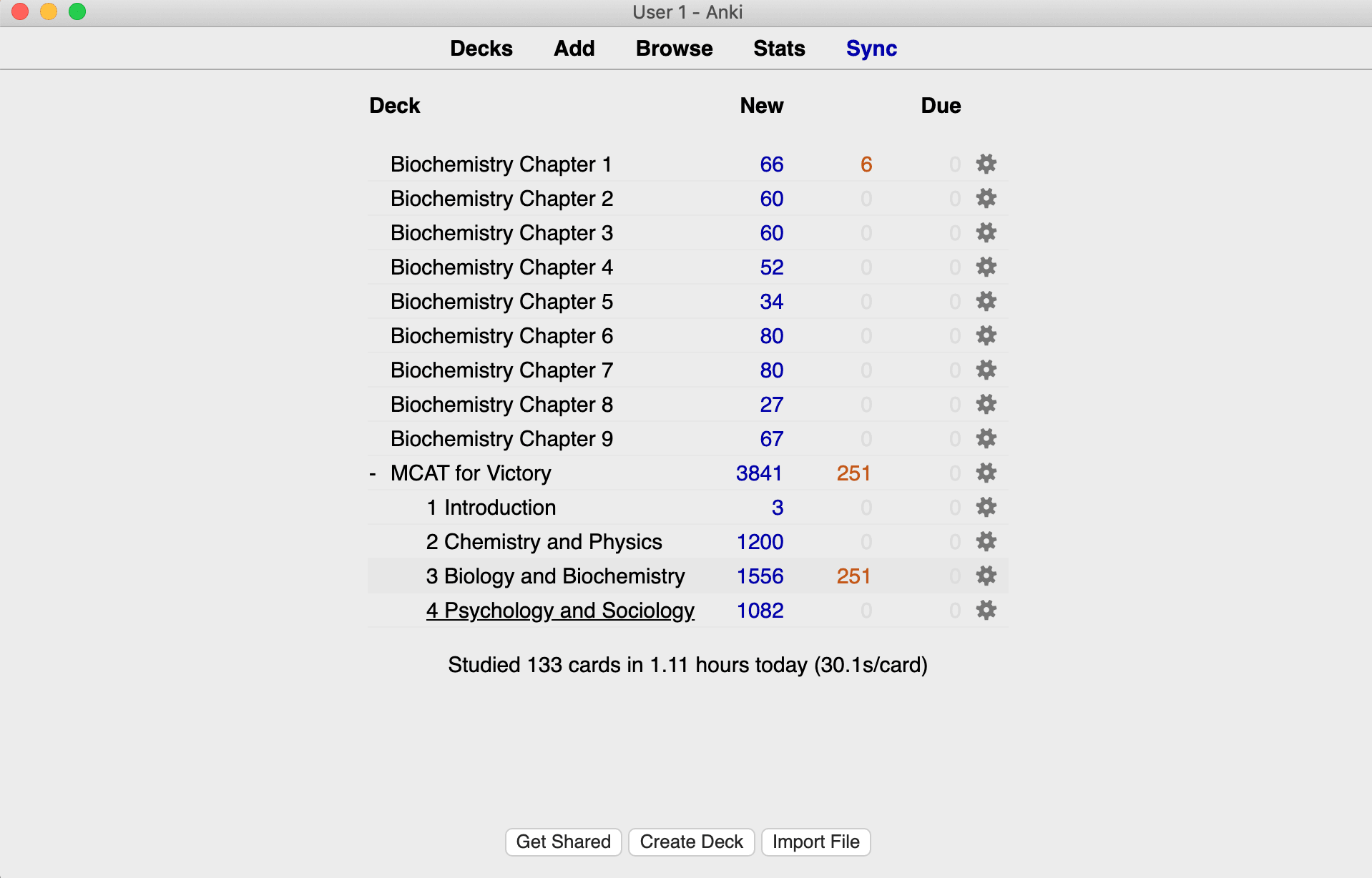
Anki is the fully open-source flashcard engine that essentially defined algorithm-driven spaced repetition. It is still the default choice for a flashcard app for med students who want maximum control over exactly how and when they see every card.
Anki was created by Damien Elmes and released as open-source software in 2006. Since then, it has been constantly updated.
Key features
- Spaced Repetition algorithm: Anki uses both SM-2 and FSRS spaced repetition algorithms, just like RemNote. Both Anki and RemNote use FSRS-6, which has a 99.6% superiority rate over the older SM-2 algorithm according to public benchmarks.
- AnKing Deck: It has a massive shared-deck ecosystem that works as a near-complete, community-maintained curriculum for USMLE Step 1 and Step 2 prep.
- Highly Customizable: Anki is known for its high customizability, meaning you can change layouts, build custom card templates, and adjust your learning parameters however you like.
- Add-ons: Anki also has hundreds of add-ons that let students layer on features like review heatmaps and custom statistics tracking.
What Users Say
Many medical students describe Anki as a non-negotiable backbone of board exam prep.

Some, however, complain that the setup in Anki is difficult to get through.

Pricing
Anki is fully free on desktop, Android, and the web, with no paywalled core features. However, iOS users have to pay a one-time fee for the AnkiMobile iOS app, which is priced at $25.
Pros
- Anki has published, peer-reviewed benchmark data that backs the use of Anki for medical school exam prep
- It is free on every platform except a one-time iOS charge
- The AnKing deck replaces hours of manual card-building for boards prep
Cons
- Non-intuitive interface, which is a real barrier for first-time users
- Anki does not allow AI card generation as of yet. Building your own decks from scratch is manual and time-consuming
- Anki leans more towards rote memorization of isolated facts rather than an integrated study workflow
3. Brainscape (Best for simple, structured review)
Brainscape was founded in New York by Andrew Cohen, who started building the company while he was still a student at Columbia. It has grown around a library of professionally authored decks rather than a raw scheduling engine.
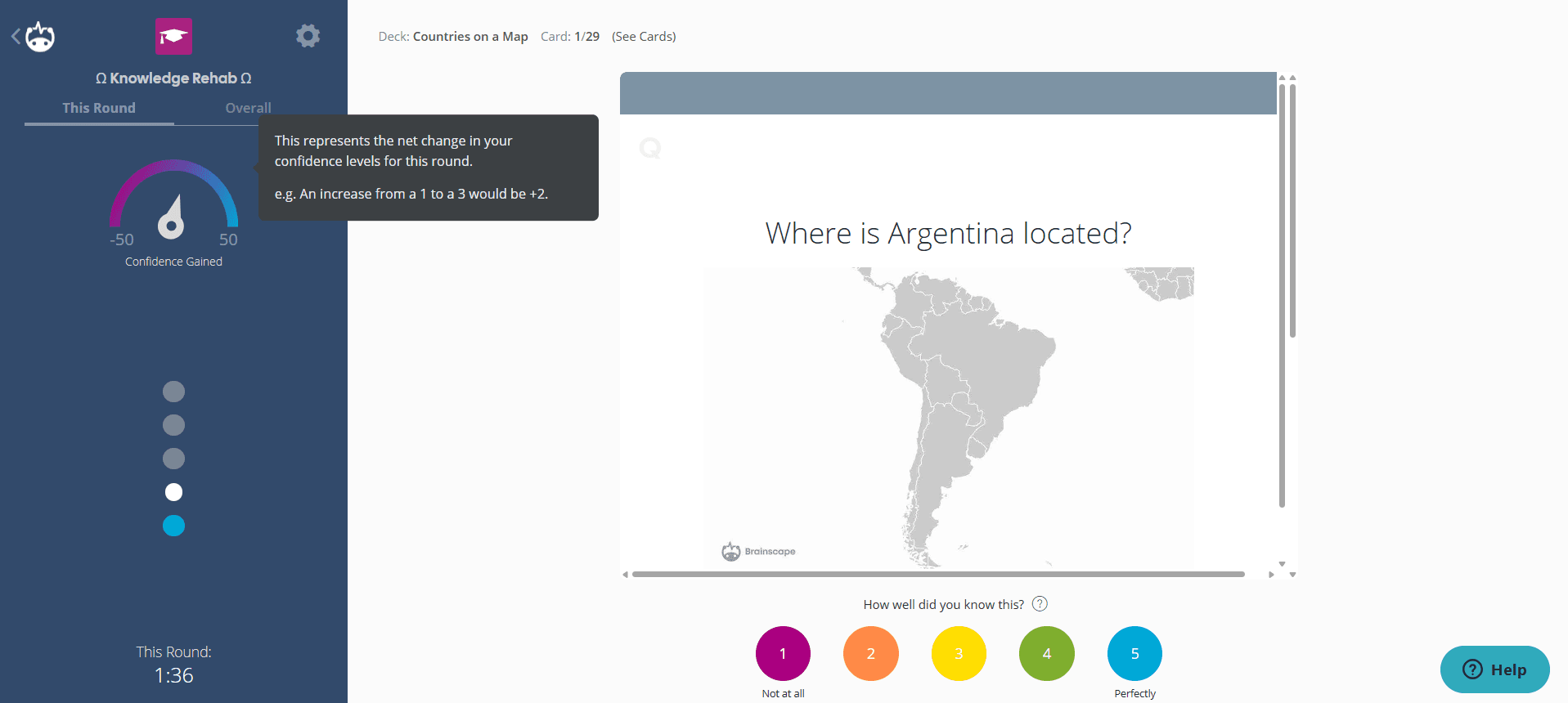
This flashcard app rates your confidence after every card and uses that self-assessment to drive its review schedule. So, it's a middle ground between Anki's power-user complexity and other casual apps, like Quizlet.
Key features
- Confidence-Based Repetition (CBR): Brainscape's algorithm asks you to rate your confidence from 1 to 5 after seeing each answer. Low-confidence cards show up more frequently.
- Certified Class Decks: Brainscape sells expert-and-publisher-written "certified" decks for the MCAT, bar exam, and NCLEX.
- Multi-Format AI Ingestion: You can upload PDFs, PowerPoint, Word, Excel files, YouTube videos, or photos, and Brainscape can convert them into flashcard sets.
- Study Analytics: It shows you your study streaks, how much time you spent studying, and gives you real time mastery percentage.
What Users Say
Students studying for the MCAT or NCLEX say that Brainscape's certified decks save them significant deck-building time.
The confidence-rating system, however, feels less rigorous to students who are used to spaced repetition.

Pricing
Brainscape offers monthly, half-yearly, yearly, and lifetime subscription options:
- Forever free plan
- Pro plan: $19.99 (monthly), $9.99/month (semester), $7.99/month (yearly), $199.99 (lifetime)
- Custom enterprise plan is also available
Pros
- Certified decks are professionally authored
- Confidence-rating input is fast
- Its AI ingestion accepts Docs, PDF, PowerPoint, Excel, and YouTube video files
Cons
- Confidence-based repetition is based on self-assessed recognition rather than tested recall
- The free tier's 100-card-per-class cap is restrictive for med school volume
- The certified-deck library is locked behind the paid Pro tier
4. Quizlet (Best for quick recall before a single exam)
Quizlet was founded in 2005 by then-15-year-old Andrew Sutherland, who originally built it to help himself study for a French vocabulary test.
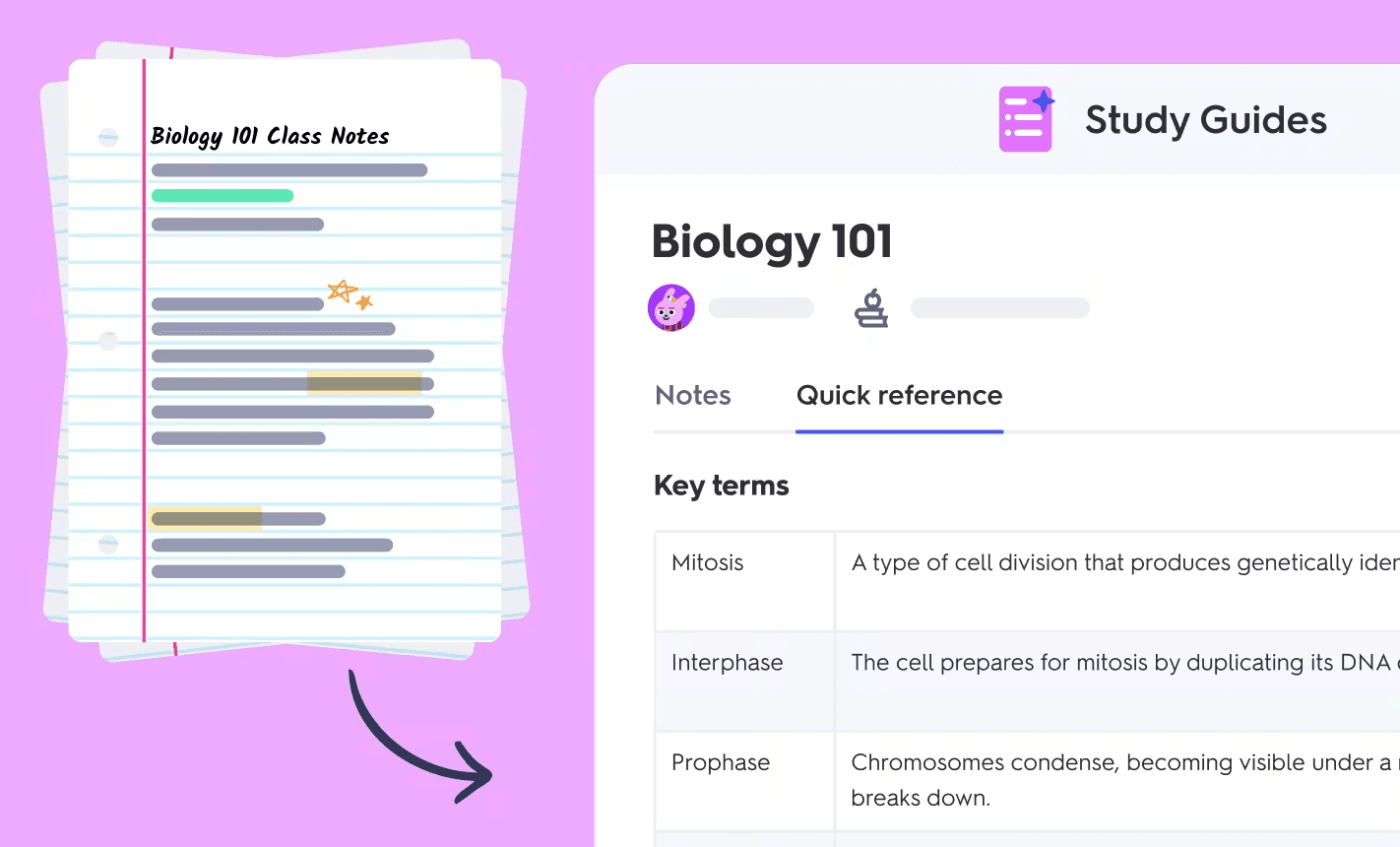
Quizlet is known for its vast library of flashcard sets made by the community and is one of the largest AI study tools in the world. The available flashcard decks span almost every subject you can think of, which saves you from generating flashcards from scratch most of the time.
It allows you to create cards manually, or you can also let AI create the cards for you from your uploaded document. But to create flashcards using AI, you’ll have to format the document first. For instance, you’ll have to separate terms and definitions using a comma, dash, or tab, and mark a line change using a semicolon, among other things.
Key features
- Learn Mode: Quizlet's Learn mode runs a machine-learning model trained on 1.5 million sampled answers that prioritizes terms you're closest to forgetting within a single session. It does not schedule cards across days the way Anki or RemNote do.
- Long-Term Learning: This is a separate, paid-only feature that schedules review sessions across multiple days based on performance history.
- AI Flashcard Generation + Practice Tests: You can upload your course content for Quizlet to automatically extract terms into a study set, and auto-generate practice tests with multiple choice, true/false, and written-answer formats.
- Massive Library: It comes with a massive library of flashcard decks that you can benefit from.
What Users Say
Quizlet is the tool many people start with in undergrad, but some abandon it once med school volume hits because it does not follow spaced repetition algorithms like Anki or RemNote.
That said, you can make your cards on Quizlet using AI and import them into Anki/RemNote to get the best of both worlds.

Pricing
Quizlet has a free tier that gives you basic flashcard study and access to community sets. Then there are two paid plans that gives you full Learn mode, Long-Term Learning, AI generation, and ad-free studying:
- Quizlet Plus: $7.99/month
- Quizlet Plus Unlimited: $9.99/month
Pros
- Big community library of pre-made study sets
- Easy to get started with
- Game-like formats work well for students who find Anki too boring
Cons
- Quizlet’s scheduled review (Long-Term Learning) is locked behind Plus, and that too is not algorithmically transparent
- Free accounts get severely limited access to Learn mode only and show ads too
- It is not for the multi-month retention timeline board exams require
5. Memorang (Best for exam prep)
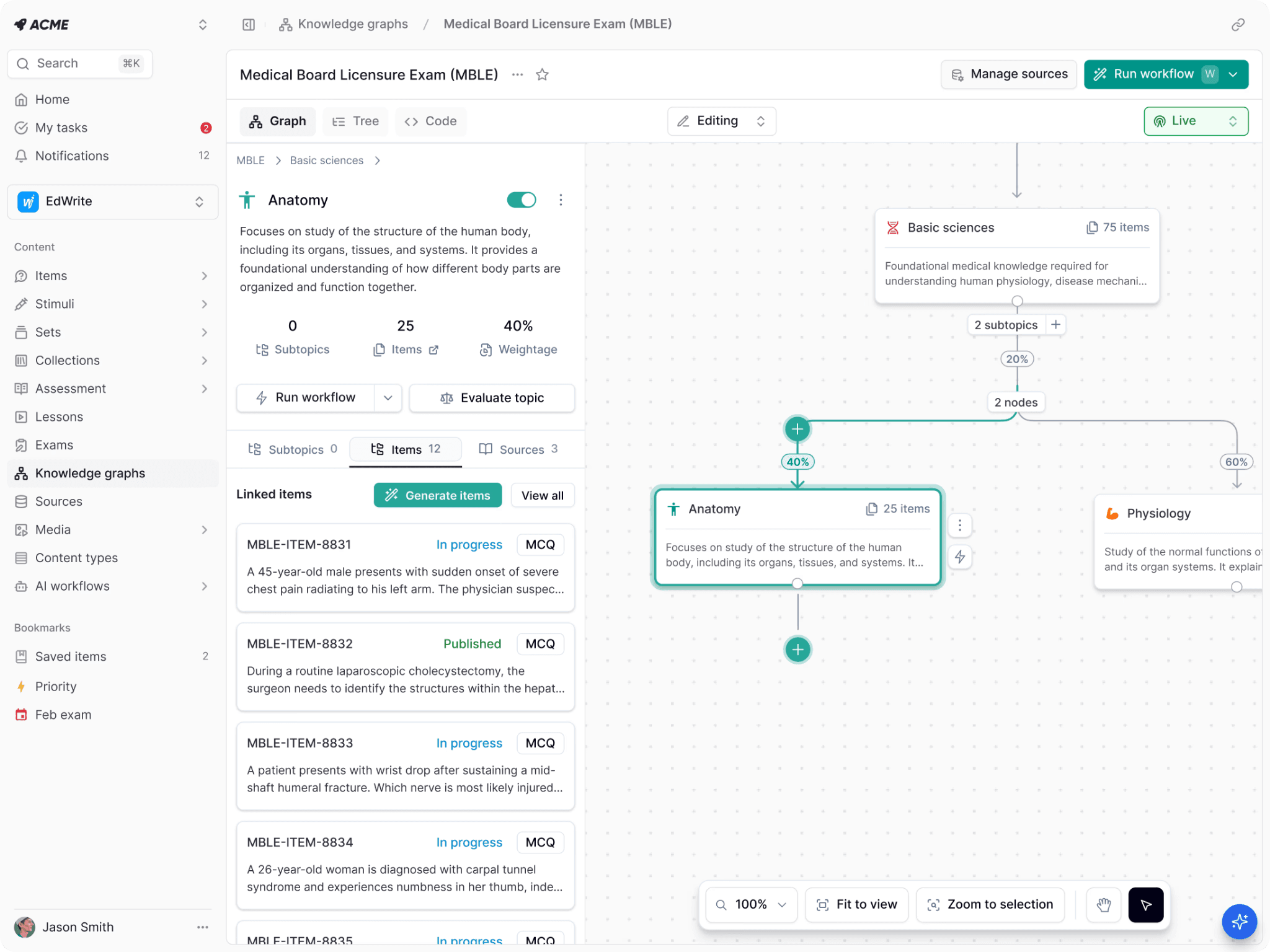
Memorang was built by a team of MIT-trained engineers. Over 100,000 medical students use its flagship USMLE Step 1 deck.
Unlike general-purpose flashcard apps, Memorang is made around exam-specific “Study-Packs.” This is board-aligned content sold as in-app purchases rather than left to community crowdsourcing.
The content can be studied as AI flashcards, multiple-choice quizzes, or a matching game, all pulling from the same underlying deck.
Key Features
- Board-Aligned Study-Packs: Its USMLE Step 1 Integrated Flashcard Review contains 22,000+ flashcards and quizzes aligned to First Aid, Pathoma, and Sketchy content.
- Patient-Presentation Case Cards: The Step 1 pack includes 1,700 USMLE-style patient presentations alongside 1,000+ high-yield images.
- Mastery-Level Progress Tracking: Your progress is tracked from individual facts up to broad topic mastery.
- Folders: You can easily organize, rearrange, and group your study materials into targeted folders.
What Students Say
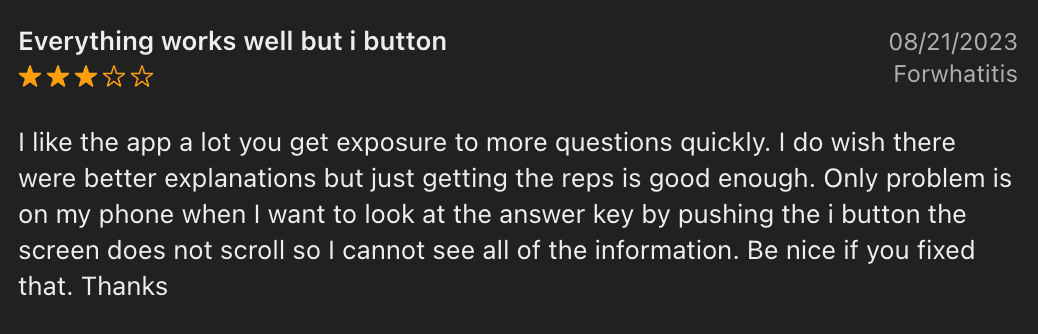
Most of the Memorang reviews are old, and there seem to be no new reviews of the app.
Pricing
The core Memorang app and flashcard creation are completely free. However, its flagship content material for USMLE Step 1 and 2CK is sold separately as an in-app purchase per Study-Pack. There’s a 7-day free trial for study packs. The paid plans are:
- 01 month: $19.99
- 03 months: $39.99
- 12 months: $99.99
Pros
- It has its web and mobile (iOS, Android) apps
- You can build your custom flashcards, organize them into folders & favorites, and collaborate with others
- It allows for custom study sessions with advanced filters
Cons
- Each exam-specific Study-Pack is a separate paid purchase
- It is not built for open-ended custom deck creation the way Anki or RemNote are
- Smaller community deck ecosystem than Anki or RemNote
What Makes a Good Flashcard App for Medical Students?
Medical school requires you to retain tens of thousands of interconnected facts that you'll need to recall years later and under exam pressure.
Here are some qualities you should look for in a flashcard maker app that will ultimately help you remember such information.
- The app should use a proven interval-based scheduler built on spaced repetition.
- Many medical school subjects, like anatomy, histology, radiology, and pathology, have tons of images, so the app should have image occlusion features.
- Building cards from scratch is a poor use of your limited study hours. You should get a strong community/deck ecosystem.
- PDF/slides integration into the flashcard app will make your cards targeted to your school’s curriculum.
- The app should have cross-platform sync so that you can review your cards on the train, between rotations, at 2 am before an exam, whenever you need to.
Choose the Right Flashcard App According to Your Study Style
All the flashcard apps for medical school we discussed in this list have some advantages and some downsides you have to be willing to live with.
Anki, for example, has a great spaced-repetition engine, but it's not everyone's cup of tea to configure. Similarly, Quizlet has a massive library of pre made decks, but when it comes to automatic flashcard generation, you’ve to format your documents first. So there's essentially no universally “best” app.
But if you want Anki-level spaced repetition combined with fast AI flashcard generation, native PDF annotation, image occlusion, and every one of your lecture notes consolidated in one place, you should check out RemNote.
It's the only app on this list that lets your notes and your flashcards be the same object instead of two separate workflows where you have to divide your time.
Try out RemNote for free today!
FAQs
What is the best flashcard app for medical students?
Anki and RemNote are the two most popular flashcard apps for medical students. They both use a rigorously validated FSRS-6 algorithm to schedule your card reviews. RemNote also combines your lecture notes in the same workflow. RemNote takes the edge over Anki as it allows you to create med school flashcards directly in your study notes.
How many flashcards should I review each day?
Medical students in general settle around 100–300 reviews daily. You can adjust your card load based on how close your exam is. However, you need to be consistently studying your cards every single day for maximum retention.
Can flashcards replace textbooks?
Flashcards can not and should not replace textbooks. What flashcards do is that they reinforce the facts you have already learned. They are best used as a supplement to your primary learning resource, which could be a question bank (UWorld or AmBOSS) or textbooks.